You watch a 45-minute lecture on YouTube, take a few notes, and then a week later you can’t find the exact moment someone explained a concept you need for an essay. You scrub the video back and forth, losing another 20 minutes. It doesn’t have to work this way. Converting video to text turns a passive viewing experience into a searchable, copyable document. That shift is small in effort but huge in usefulness, whether you’re a student, a researcher, or someone who just wants to hold onto good information.
Key Takeaway: YouTube videos hold a lot of useful information, but the format makes it difficult to search, quote, or save specific parts. Converting video to text gives you a document you can study, cite, and repurpose. This article walks through how transcript tools work, what the output looks like, and how to build transcripts into a real workflow for studying, research, or content creation. No technical skill required.
Why Video Is Hard to Search
Text is the most flexible format for information. You can search it, paste it, highlight it, and share it. Video, by contrast, is mostly linear. You press play and watch from start to finish, or you guess at timestamps and scrub around.
When you need to find a specific argument someone made at the 32-minute mark, you’re stuck either watching the whole thing again or making your best guess. And when you want to quote something accurately, you have to pause and retype by hand, hoping you don’t miss a word.
Turning video into text removes all of that friction. The content stays the same. You just get a format that actually works with how people read, study, and write.
How to Convert a YouTube Video to Text in Seconds
The process is far simpler than most people expect. Here’s what it looks like in practice:
- Open the YouTube video you want to transcribe.
- Copy the full URL from your browser’s address bar.
- Paste the URL into a transcript generator.
- Wait a few seconds while the tool processes the video.
- Copy or download the resulting text, complete with timestamps.
No sign-up. No software. No technical steps. You paste a link and get text back in seconds.
The timestamps are particularly useful. Each line of the transcript is tied to a specific moment in the video, so you can jump back to any point if you need more context. For students and researchers, this makes citing video content much more precise than simply referencing a video title and URL.
What a Transcript Actually Contains
A full transcript gives you more than just a wall of text. Here’s what you typically get:
- Every word spoken in the video, written out verbatim
- Timestamps paired with each line or paragraph
- Speaker changes noted where the tool detects multiple voices
- Natural paragraph breaks that follow the rhythm and pauses of speech
- A clean, copyable block of text you can paste into any document
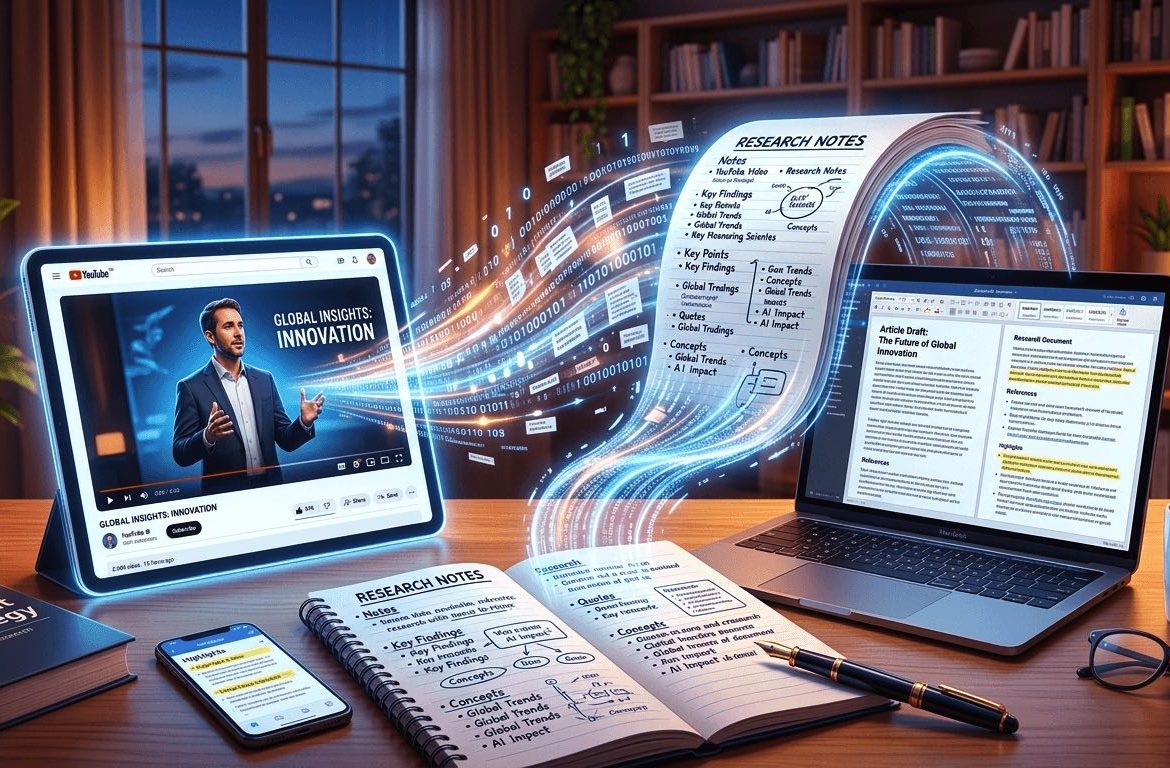
That raw output is already useful on its own. With a bit of light editing, you can shape it into polished notes, direct quotes, or a rough draft for something entirely new.
AI Is Reshaping How We Work With Media
Transcript tools are part of a bigger picture. AI has changed how we interact with media across the board. We’re not just consuming content anymore. We’re processing, transforming, and reorganizing it in ways that would have taken hours just a few years ago.
This same pattern shows up across different media types. Tools that use AI to work with images, for example, can restore clarity and detail that seemed permanently lost. If you’ve used AI photo repair to fix old family images, you already understand the idea: a tool takes something difficult to work with in its original form and turns it into something you can actually use.
Transcription works the same way. The information locked inside a video becomes something you can search, quote, and build on.
Getting Quality Audio Before You Transcribe
Transcript tools work best with clear, well-recorded audio. If you’re transcribing your own recordings rather than YouTube videos, the quality of your capture directly affects how accurate the output will be.
If you record interviews or conversations on your phone, it’s worth knowing your options. There are solid approaches for call recording on iPhone that make it easy to save conversations for later transcription. The cleaner the audio, the more accurate the transcript, and the less time you’ll spend correcting the output afterward.
Using Transcripts for Study and Research
Students are among the people who benefit most from video transcription. Educational content is increasingly video-based, with lectures, tutorials, and explainer videos available on YouTube for nearly every subject. But rewatching a video multiple times to find a single point is exhausting and inefficient.
With a transcript, you can search for a keyword and land on it immediately. You can read through material faster than you can watch it. You can pull direct quotes with timestamps for citation. And you can highlight sections and add your own annotations directly in a document, something a video player simply doesn’t allow.
Researchers use transcripts in a similar way. Video interviews, conference talks, and documentary footage all become searchable once converted to text. You can cross-reference ideas from multiple videos by placing their transcripts side by side in a shared document, treating video sources with the same precision you’d apply to written ones.
Turning Video Into Content: The Creator Use Case
If you make content yourself, transcripts become a production asset rather than just a research tool. A single video contains enough material for a blog post, a newsletter section, a social caption, or an email. The ideas are already in the script. The transcript just extracts them.
That’s where content creator tools make the biggest difference. Rather than starting from a blank page, you work from a text version of something you’ve already said or recorded. You clean up filler words, restructure the flow for the new format, and publish. The thinking is done. You’re just reshaping it into whatever format fits best.
One video can reasonably produce five pieces of written content. That’s not cutting corners. It’s making the most of work you’ve already put in.
Organizing and Saving Your Transcripts
Once transcripts become a regular part of your workflow, organization starts to matter. A single transcript file is easy to manage. A growing library of them needs a real system.
Saving transcripts as PDFs works well because the format is stable, portable, and easy to share. If you accumulate several transcripts on a related topic, you might want to pull them into a single reference document. Knowing how to combine PDFs without losing formatting makes it straightforward to build a full archive from multiple sources.
A consistent naming convention helps too. Including the video title, the source, and the date in each filename means you’ll always know what you’re opening without having to read through the file first.
How Transcripts Serve Different People
The core function is the same for everyone: turn video into text. What people do with that text, though, varies quite a bit.
Students use transcripts mainly for speed. Reading is faster than watching, and searching is faster than scrubbing. The ability to find an exact phrase in a transcript, rather than scanning through a recording, changes how efficiently you can study and review material.
Researchers treat transcripts as source documents. They annotate them, extract quotes with precise timestamps, and build reference lists that include video sources with the same rigor as written citations. The transcript becomes the artifact they cite, not the video itself.
Content creators use transcripts as raw material. The video is the source, and the transcript is the first draft of everything that comes from it, from long-form posts to short-form social content.
Professionals use them for efficiency. Meeting replays, training sessions, and recorded webinars become searchable documents rather than recordings that require a full rewatch.
For more practical guides on tools and digital workflows, technology how-tos cover a broad range of topics from AI applications to device tips aimed at everyday users.
Text Is the Most Useful Thing a Video Can Become
Video will keep growing as a format for sharing knowledge. That’s not going to change. But the ability to extract searchable, citable, repurposable text from any video means you’re no longer limited by the format itself.
The next time you watch something useful on YouTube, don’t just take rough notes by hand. Paste the URL into a transcript tool, pull the full text in seconds, and decide what to do with it. Whether that’s studying, quoting, writing, or simply saving for later, you’ll be working with the content rather than just watching it pass by.