What is the NLCS?
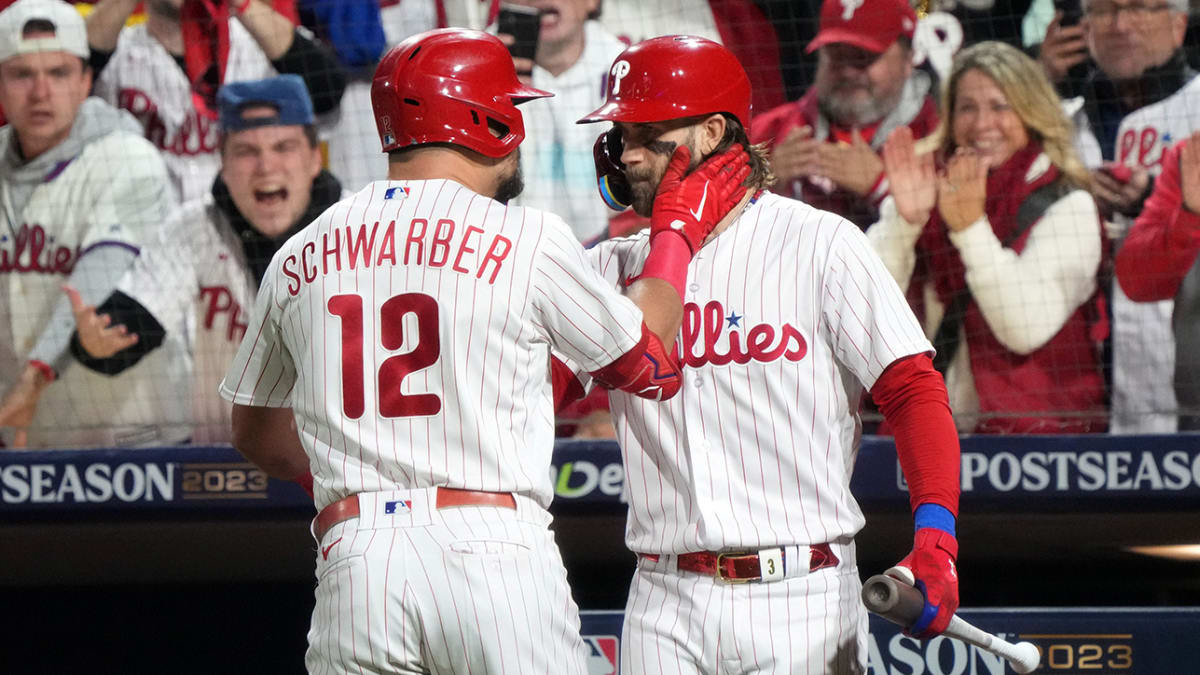
The National League Championship Series (NLCS) is a major baseball event that determines the National League’s representative in the World Series. It is an exciting playoff series that showcases the top teams from the National League, competing for the chance to advance to the ultimate stage of the baseball season. With a rich history dating back to 1969, the NLCS has been a source of excitement for fans across the nation.
The NLCS is a best-of-seven series that typically takes place in October. It pits the winners of the National League Division Series against each other in a battle for the league championship. The teams that reach the NLCS have proven their mettle by navigating through the regular season and emerging victorious in the divisional stage of the playoffs. With intense competition and high stakes, the NLCS showcases the best baseball talent in the National League.
In addition to the honor of representing the National League in the World Series, the NLCS victor also gains exposure to a larger audience and media attention. The series attracts a massive following from fans, both in-person and through television and online streaming. Viewers are treated to thrilling performances, nail-biting moments, and strategic plays as the teams battle it out for a chance at baseball glory.
Over the years, the NLCS has witnessed legendary performances and memorable moments that have become part of baseball history. From astonishing home runs to dominant pitching performances, the NLCS has provided fans with unforgettable experiences. The excitement and intensity of the series create a unique atmosphere that captures the attention of both die-hard baseball enthusiasts and casual viewers alike.
In summary, the National League Championship Series is a highly anticipated baseball event that showcases the top teams from the National League. It is a seven-game series that determines the National League’s representative in the World Series. With its rich history, thrilling performances, and nail-biting moments, the NLCS captivates the hearts of baseball fans and creates lasting memories for players and viewers alike.
How to watch the NLCS on TV
Watching the NLCS on TV is a popular choice for baseball fans who prefer the traditional viewing experience. Whether you have a cable or satellite TV subscription, you can easily catch all the action from the comfort of your living room. Here are the steps to follow:
1. Check the schedule: Find out the dates and times of the NLCS games to plan your viewing. The schedule is usually released before the series begins, so make sure to look out for updates from official sources or sports news outlets.
2. Identify the TV network: The NLCS is nationally televised by different networks each season, so check which network has the broadcasting rights for the current year. Networks like FOX, ESPN, or TBS are common choices for the NLCS coverage.
3. Tune in to the channel: On the day of the game, switch on your TV and navigate to the channel broadcasting the NLCS. Use the program guide or channel lineup provided by your cable or satellite provider to find the correct channel number.
4. Enjoy the game: Grab some snacks, settle into your favorite spot on the couch, and immerse yourself in the thrilling NLCS action. Listen to the commentary, cheer for your favorite team, and savor the excitement of high-stakes playoff baseball.
If you encounter any issues with accessing the channel or finding the game on TV, it’s recommended to contact your TV service provider for assistance. They can guide you through any technical difficulties or provide information on channel availability.
In addition to the live game coverage, TV networks often provide pre-game analysis, post-game discussions, and in-depth commentary to enhance your viewing experience. These segments offer insights, player interviews, and expert opinions, giving you a comprehensive understanding of the NLCS and its key moments.
Remember, the TV broadcast is subject to regional blackout restrictions. If you are located in the same region as the teams playing in the NLCS, the game may be blacked out on local channels. In such cases, consider alternative streaming options or attending the game in person.
In summary, watching the NLCS on TV is a straightforward process that involves checking the schedule, identifying the broadcasting network, and tuning in to the correct channel. Enjoy the game from the comfort of your home, and take advantage of the additional analysis and commentary provided by the TV networks.
How to stream the NLCS online
Streaming the NLCS online allows you to watch the games on your computer, laptop, smartphone, or tablet, giving you the flexibility to enjoy the action wherever you are. If you prefer the convenience of streaming, here’s how you can catch the NLCS games online:
1. Choose a streaming platform: There are several streaming platforms available that offer live sports coverage, including the NLCS. Popular options include YouTube TV, Hulu + Live TV, Sling TV, and fuboTV. Research and evaluate the features, pricing, and channel availability of each platform to determine which one suits your needs.
2. Sign up for a subscription: Once you’ve chosen a platform, sign up for a subscription plan that includes the network broadcasting the NLCS. These plans typically require a monthly fee, but some platforms offer free trial periods. Make sure to check if the platform offers the channel(s) you need to watch the NLCS.
3. Download the streaming app: After subscribing, download the streaming app provided by the platform onto your device. Most platforms have dedicated apps for various devices and operating systems, including iOS, Android, Roku, Apple TV, or Amazon Fire TV.
4. Log in and select the channel: Open the streaming app and log in using your credentials. Browse through the available channels or access the channel guide to find the network broadcasting the NLCS. Click on the channel to start streaming the live game.
5. Enjoy the game: Sit back, relax, and enjoy the NLCS action streaming live on your device. With the streaming platform, you can easily pause, rewind, or fast forward through the game, ensuring that you don’t miss any crucial moments.
It’s important to ensure a stable internet connection while streaming to avoid interruptions or buffering issues. Connect to a reliable Wi-Fi network or use a high-speed mobile data connection for the best streaming experience.
If you encounter any technical difficulties or have questions about the streaming platform, consult the platform’s customer support or check their online help documentation for assistance.
Streaming the NLCS online can also provide additional features, such as interactive live stats, multiple camera angles, or customizable viewing preferences. Explore the streaming platform’s options to enhance your streaming experience and make it more tailored to your preferences.
In summary, streaming the NLCS online gives you the flexibility to watch the games on your preferred device. Choose a streaming platform, sign up for a subscription, download the app, and start streaming the live games. Ensure a stable internet connection for uninterrupted viewing, and take advantage of any additional features offered by the platform.
Watching the NLCS without cable
Gone are the days when cable or satellite TV subscriptions were the only means to watch live sports. If you don’t have a cable subscription, there are alternative ways to watch the NLCS without missing any of the action. Here are some options to consider:
1. Over-the-air antenna: If you have a TV with a built-in digital tuner or a separate digital converter box, you can use an over-the-air antenna to receive local broadcast channels for free. Check if the network broadcasting the NLCS games is available in your area and set up your antenna to get a clear signal. You’ll be able to watch the games in high-definition quality without the need for cable or internet.
2. Streaming platforms: Many streaming platforms offer live TV streaming options that include the channels broadcasting the NLCS. Platforms like YouTube TV, Hulu + Live TV, Sling TV, and fuboTV provide access to live sports coverage over the internet. Compare the available plans and pricing to find one that suits your preferences and enjoy streaming the games on your preferred device.
3. Network websites and apps: Some networks that broadcast the NLCS may provide live streaming of the games on their websites or through dedicated apps. Check the official websites or app stores for FOX, ESPN, TBS, or other network apps to see if they offer live streaming options. Keep in mind that you may need to sign in with a valid cable or streaming service subscription to access the live streams.
4. Social media platforms: Some social media platforms, like Twitter or Facebook, may have partnerships with sports networks to stream live sports events. Check if the NLCS games will be streamed on any social media platforms and follow the official accounts of the participating teams and networks to receive notifications about live streams.
5. Online streaming services: There are websites that aggregate live sports streams from various sources, allowing you to watch the NLCS games online. However, be cautious when using such services, as they may not always be legal or provide reliable streams. Ensure that you are accessing legal and authorized stream sources to avoid any potential issues.
It’s important to note that some of these options may require a subscription or have blackout restrictions based on your location. Research and evaluate the available options to determine the best approach for watching the NLCS without cable.
In summary, you can watch the NLCS without a cable subscription by using over-the-air antennas, streaming platforms, network websites and apps, social media platforms, or online streaming services. Consider the available options, ensuring legality and reliability, to ensure you don’t miss a moment of the exciting NLCS action.
NLCS schedule and game times
The NLCS schedule is released prior to the start of the series and provides fans with the dates, times, and locations of the games. It’s important to be aware of the schedule so you can plan your viewing and make sure you don’t miss any of the NLCS action. Here’s how to stay updated on the schedule and game times:
1. Official sources: The MLB and the official websites of the participating teams will have the most up-to-date and accurate NLCS schedule. Check the MLB website or the individual team websites for information on when the games will be played. These sources are reliable and will include any changes or updates to the schedule, so be sure to keep an eye on them.
2. Sports news outlets: Many sports news outlets, both online and on television, provide comprehensive coverage of the NLCS. They will regularly update the schedule and game times as soon as the information becomes available. Consider following reliable sports news sources to receive timely updates and stay informed about any changes or announcements regarding the NLCS schedule.
3. MLB mobile app: The MLB mobile app is a convenient way to access the NLCS schedule on your smartphone or tablet. It will provide you with the game dates, times, and locations, allowing you to plan your viewing accordingly. The app may also offer additional features, such as live score updates, game highlights, and player stats, enhancing your overall NLCS experience.
Once you have the NLCS schedule, note down the dates, times, and locations of the games. Keep in mind that the NLCS is a best-of-seven series, so there may be up to seven games played. Some games may be played during the day, while others may be scheduled for the evening. Make sure to adjust your schedule accordingly to ensure you can watch the games live.
If you can’t watch a game live, you can often find replay options or highlights on network websites, the MLB website, or sports news outlets. These sources will provide you with recaps and key moments from each game, allowing you to catch up on the action you missed.
In summary, staying updated on the NLCS schedule and game times is essential to ensure you don’t miss any of the thrilling playoff baseball. Utilize official sources, sports news outlets, and the MLB mobile app to access the most accurate and up-to-date information. Plan your viewing accordingly, noting down the dates, times, and locations of the games, and consider alternatives like replays or highlights for games you can’t watch live.
Tips for better streaming quality
Streaming the NLCS online can provide a convenient and immersive viewing experience, but it’s important to ensure a smooth and high-quality stream. To optimize your streaming experience and enhance the video quality, consider the following tips:
1. Stable internet connection: A stable and reliable internet connection is crucial for streaming. Make sure you are connected to a high-speed internet service to avoid buffering or interruptions during the game. If possible, connect your streaming device to your router using an Ethernet cable for a more stable connection.
2. Bandwidth consideration: Streaming live sports requires a significant amount of bandwidth. If you have multiple devices connected to your network or if others in your household are using the internet simultaneously, it may affect the streaming quality. Consider reducing the number of devices using the network or prioritize streaming during the NLCS games to allocate more bandwidth to your streaming device.
3. Close other applications: Closing or minimizing other applications on your streaming device can free up system resources and improve the streaming performance. Applications running in the background can consume bandwidth or processing power, impacting the quality of the stream.
4. Clear cache and cookies: Over time, cached data and cookies can accumulate in your web browser or streaming app, affecting performance. Clearing the cache and cookies regularly can help improve streaming quality by ensuring a fresh start for the streaming app or website.
5. Update your streaming app or browser: Streaming apps and web browsers often release updates that address bugs and improve performance. Make sure you are using the latest version of your streaming app or browser to take advantage of any performance enhancements.
6. Position your router: If you are streaming wirelessly, the location of your router can impact the strength of your Wi-Fi signal. Ensure the router is positioned in a central location in your home to maximize coverage and minimize signal interference. Consider placing the router on a higher surface away from other electronics or physical barriers that may obstruct the signal.
7. Use a wired connection: If possible, connect your streaming device directly to your router using an Ethernet cable. Wired connections tend to be more stable and reliable compared to wireless connections, minimizing potential issues caused by signal fluctuations.
8. Consider device limitations: Some streaming devices or older models may have limitations on video quality or streaming capabilities. Ensure that your device meets the minimum requirements for streaming the NLCS in high definition. Upgrading to a more capable device may improve your streaming experience.
By following these tips, you can enhance the quality of your NLCS streaming experience. A stable internet connection, bandwidth management, device optimization, and considering network and device limitations are key factors in ensuring smooth and uninterrupted streaming of the games.
NLCS blackout restrictions and workarounds
Blackout restrictions are put in place for certain areas to protect the rights of local broadcasters and encourage attendance at live games. These restrictions prevent viewers located in the same region as the teams participating in the NLCS from watching the games on local channels. While blackout restrictions can be frustrating for fans, there are some workarounds to consider:
1. Consider alternate broadcasting channels: During the NLCS, the games are nationally broadcasted by various networks. If the game is blacked out on your local channel, check if there are alternate channels available, such as national sports networks like ESPN, FOX, or TBS. These networks may still have the rights to broadcast the game and can be accessible through cable, satellite TV, or streaming platforms.
2. Streaming platforms: Some streaming platforms offer access to out-of-market games, bypassing blackout restrictions. Platforms like MLB.TV, for example, allow viewers to stream NLCS games live, even if they are located within the blackout region. However, be aware that blackout restrictions may still apply to games involving the local teams. Ensure to check the platform’s blackout policy before subscribing.
3. Virtual Private Network (VPN): A VPN can potentially circumvent blackout restrictions by masking your location. By connecting to a VPN server located outside of the blackout region, you can appear as if you are accessing the stream from a different location. However, it’s important to note that using a VPN to bypass blackout restrictions may violate the terms of service of streaming platforms or cable providers, so proceed with caution and ensure you are using a reputable VPN service.
4. Attend the game in person: If you are located near the stadium where the NLCS games are taking place, one option to avoid blackout restrictions is to attend the game in person. By purchasing tickets and going to the ballpark, you can experience the live action firsthand and avoid any blackout restrictions that may be in place for the local region.
It’s important to check the specific blackout rules and regulations in your region, as they may vary depending on your location and the specific broadcasting agreements. These workarounds can help you bypass or overcome blackout restrictions, but it’s crucial to ensure that you are accessing the games legally and within the terms and conditions set forth by the broadcasting networks and platforms.
In summary, blackout restrictions can prevent local viewers from watching NLCS games on local channels. However, there are options to bypass or overcome these restrictions, such as considering alternate broadcasting channels, utilizing streaming platforms or VPNs, or attending the games in person. Be sure to understand and comply with the blackout rules and regulations, and always seek legal and authorized methods for accessing the NLCS games.
NLCS streaming platforms and their advantages
When it comes to streaming the NLCS, there are several platforms available that offer live sports coverage. Each platform has its own unique advantages and features. Here are some popular NLCS streaming platforms and the advantages they offer:
1. YouTube TV: YouTube TV provides access to live channels, including the networks broadcasting the NLCS. It offers a user-friendly interface, unlimited cloud DVR storage, and the ability to stream on multiple devices simultaneously. YouTube TV also allows for seamless integration with other YouTube services, such as watching game highlights or related videos.
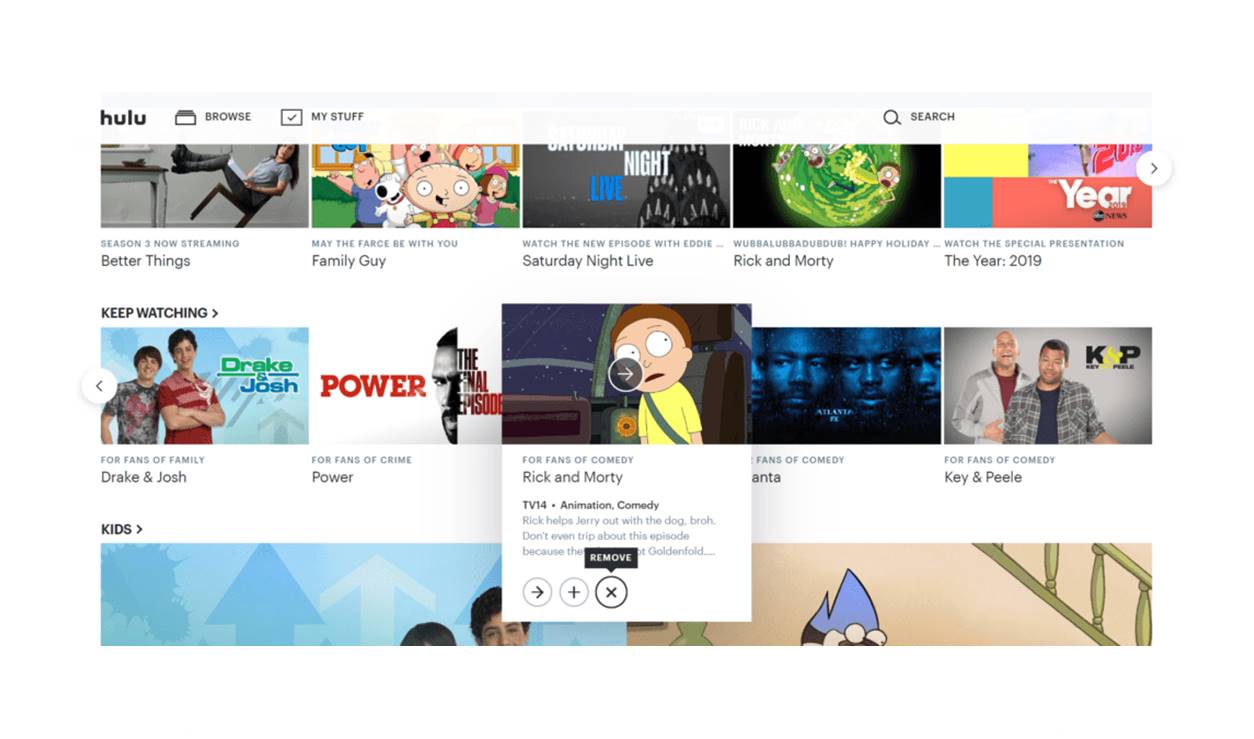
2. Hulu + Live TV: With Hulu + Live TV, you can watch the NLCS games live, as well as access a wide range of on-demand content. The platform includes the networks airing the NLCS, along with a large library of movies and TV shows. Hulu + Live TV also offers personalized recommendations based on your viewing preferences and allows for unlimited simultaneous streaming.
3. Sling TV: Sling TV offers a variety of plans, including one specifically tailored for sports fans. With the Sling Orange + Blue package, you will have access to the networks broadcasting the NLCS games. Sling TV allows you to customize your channel lineup and offers features like Cloud DVR and the ability to stream on multiple devices. It is also available at a relatively lower price point compared to some other streaming platforms.
4. fuboTV: Known for its extensive sports coverage, fuboTV provides access to the networks airing the NLCS. It offers a wide range of live sports channels, including regional sports networks, making it a popular choice for sports enthusiasts. fuboTV also includes cloud DVR storage and allows for streaming on multiple devices simultaneously, ensuring you never miss a moment of the NLCS action.
5. MLB.TV: MLB.TV is the official streaming platform of Major League Baseball. With an MLB.TV subscription, you can watch the NLCS games live, regardless of your location. This platform is especially advantageous for out-of-market viewers who want access to all the NLCS games. MLB.TV offers features like multiple camera angles, in-game highlights, and archives of past games for an enhanced viewing experience.
Other streaming platforms and cable services may also offer access to the NLCS games, so it’s worth exploring different options and considering which platform aligns with your specific needs and preferences. Keep in mind factors such as pricing, channel availability, streaming quality, device compatibility, and additional features when making your decision.
In summary, there are various streaming platforms available for watching the NLCS, each with its own advantages. YouTube TV, Hulu + Live TV, Sling TV, fuboTV, and MLB.TV are just a few examples. Consider the features, channel lineups, and pricing of each platform to find the one that best suits your preferences and enhances your NLCS streaming experience.
Best devices for streaming the NLCS
When it comes to streaming the NLCS, having the right device can greatly enhance your viewing experience. Here are some of the best devices for streaming the NLCS games:
1. Smart TVs: Many modern smart TVs come with built-in streaming capabilities, allowing you to directly access streaming platforms and apps. Popular brands such as Samsung, LG, Sony, and TCL offer smart TVs with a user-friendly interface and app stores where you can download streaming apps like YouTube TV, Hulu, or MLB.TV. Streaming the NLCS on a smart TV provides a seamless viewing experience on a large screen with excellent picture quality.
2. Streaming devices: If you have a non-smart TV, or if you wish to upgrade your streaming capabilities, consider using dedicated streaming devices. Some popular streaming devices include Roku, Amazon Fire TV Stick, Apple TV, and Google Chromecast. These devices connect to your TV and provide quick and easy access to various streaming platforms, making it convenient to stream the NLCS games directly on your television.
3. Gaming consoles: If you own a gaming console such as the PlayStation or Xbox, you can utilize it for streaming the NLCS. These consoles often have streaming apps available in their respective app stores, allowing you to access platforms like YouTube TV, Hulu, or MLB.TV. Additionally, gaming consoles typically offer excellent graphics and processing power, providing a smooth and high-quality streaming experience.
4. Streaming sticks and dongles: Streaming sticks and dongles are small, portable devices that can be plugged into the HDMI port of your TV. These devices, such as the Amazon Fire TV Stick or Google Chromecast, enable streaming by connecting to your Wi-Fi network. They offer a cost-effective option to transform your regular TV into a smart TV and provide access to various streaming platforms for the NLCS games.
5. Mobile devices: Watching the NLCS on your mobile device can be a convenient option, especially if you’re on the go or prefer a more personal viewing experience. Both iOS and Android devices, such as smartphones and tablets, offer streaming apps for platforms like YouTube TV, Hulu, or MLB.TV. Apps are designed to optimize the viewing experience on smaller screens, ensuring that you can enjoy the games wherever you are.
Whichever device you choose, it’s important to ensure that it meets the technical requirements for streaming high-quality video. A stable internet connection is crucial, and using a wired connection or connecting to a strong Wi-Fi network can improve the streaming performance. Additionally, having a device with a high-definition display and a decent processor will enhance the visual quality and smoothness of the stream.
In summary, there are various devices available to stream the NLCS, including smart TVs, streaming devices, gaming consoles, streaming sticks, and mobile devices. Consider the features, compatibility, and convenience of each device to find one that best suits your needs and enhances your NLCS streaming experience.
Preparing your setup for streaming the NLCS
To ensure a smooth and enjoyable streaming experience for the NLCS, it’s important to prepare your setup beforehand. By taking a few steps to optimize your setup, you can minimize potential issues and fully immerse yourself in the excitement of the games. Here’s a guide to help you prepare your setup for streaming the NLCS:
1. Check your internet speed: A stable and reliable internet connection is essential for streaming high-quality video. Use an online speed test tool to check your internet speed. For streaming HD content, a minimum download speed of 5 Mbps is recommended, while 25 Mbps or higher is recommended for 4K streaming. Contact your internet service provider if you need to upgrade your plan or troubleshoot any connection issues.
2. Connect via Ethernet: If possible, connect your streaming device directly to your router using an Ethernet cable. This wired connection provides a more stable and robust connection compared to Wi-Fi, minimizing the risk of buffering or loss of signal during the NLCS games. If a wired connection is not feasible, try to position your Wi-Fi router close to the streaming device or consider using Wi-Fi extenders for better coverage.
3. Update your streaming app or device: It’s important to keep your streaming app or device up to date with the latest software and firmware updates. These updates often include bug fixes, performance improvements, and compatibility enhancements. Check for updates regularly and install them to ensure a smooth streaming experience during the NLCS games.
4. Clear cache and storage: Over time, streaming apps and devices can accumulate temporary files, cache, and other data that can impact performance. Take the time to clear the cache and storage of your streaming app or device to free up space and improve overall performance. Refer to the user manual or online resources specific to your device for instructions on how to clear cache and storage.
5. Optimize audio and video settings: Check your device’s audio and video settings to make sure they are properly configured for optimal streaming quality. Adjust settings such as resolution, frame rate, and audio output to match the capabilities of your TV or streaming device. Consult the user manual or online resources for your specific device to access and adjust these settings.
6. Test your setup in advance: Before the NLCS games begin, take the time to test your setup and confirm that everything is working as expected. Stream some content from the streaming app or platform you will be using for the NLCS to ensure smooth playback and assess the overall quality of the stream. This will give you a chance to troubleshoot any issues ahead of time.
By following these steps and taking the time to prepare your setup, you can ensure smooth streaming of the NLCS games. A stable internet connection, wired Ethernet connection if possible, updated streaming apps or devices, optimized audio and video settings, and testing your setup in advance will help create an optimal streaming experience, allowing you to fully enjoy the NLCS action.
Watching the NLCS on mobile devices
Watching the NLCS on mobile devices provides a convenient and portable option for baseball fans on the go. With the ability to stream the games on smartphones and tablets, you can stay connected and never miss a moment of the action. Here’s what you need to know about watching the NLCS on mobile devices:
1. Download streaming apps: Start by downloading the streaming app associated with the platform you’ve chosen to watch the NLCS. Popular options include YouTube TV, Hulu + Live TV, Sling TV, fuboTV, and the MLB.TV app. These apps are available for both iOS and Android devices through their respective app stores.
2. Subscription and login: After downloading the streaming app, you’ll need to sign up for a subscription and log in to access the NLCS games. Depending on the platform, you may already have a subscription or need to create a new account. Ensure you have a stable internet connection, as streaming the games requires a reliable network connection to ensure smooth playback.
3. App navigation: Familiarize yourself with the navigation and features of the streaming app. Each platform may have a slightly different interface, but common features include access to live channels, playback controls, and personalized recommendations. Take the time to explore the app and understand its functionality before the NLCS games begin.
4. Mobile data usage: Streaming live games on mobile devices consumes data, so it’s important to monitor your data usage if you’re not connected to Wi-Fi. To avoid unexpected data charges, consider streaming the NLCS games while connected to a Wi-Fi network. If you’re using mobile data, be mindful of your data plan limits and consider adjusting video quality settings within the streaming app to optimize data usage.
5. Optimize video quality: Streaming apps often provide options to adjust video quality based on your internet connection or preferences. If you have a stable and high-speed connection, you can maximize video quality settings for a better viewing experience. However, if you have a slower or limited mobile data connection, reducing the video quality can help prevent buffering or interruptions.
6. Accessory considerations: Depending on your mobile device, you may want to consider using accessories to enhance your NLCS streaming experience. External battery packs can ensure your device stays powered up during extended viewing sessions, while Bluetooth headphones or portable speakers can provide better audio quality and a more immersive experience.
Remember to check the NLCS schedule and plan ahead to ensure you are available to watch the games on your mobile device. To avoid distractions, find a quiet and comfortable environment to enjoy the games, whether you’re at home, traveling, or out and about.
In summary, mobile devices offer a convenient and portable option for streaming the NLCS. Download the appropriate streaming app, sign up for a subscription, and ensure a stable internet connection. Familiarize yourself with the app’s navigation and features, optimize video quality settings for your mobile data usage, and consider using accessories to enhance your viewing experience. With mobile devices, you can stay connected and catch all the exciting moments of the NLCS no matter where you are.
Watching the NLCS internationally
Baseball fans around the world can join in the excitement of the NLCS, even if they are located outside of the United States. With the advancements in streaming technology, international viewers have various options to watch the live games. Here’s how you can watch the NLCS internationally:
1. MLB.TV: MLB.TV is the official streaming platform of Major League Baseball and offers international streaming of all NLCS games. With an MLB.TV subscription, you can watch the games live, as well as access archived games, highlights, and additional MLB content. It provides a comprehensive international viewing experience for baseball fans across the globe.
2. Local sports networks: In some countries, local sports networks may have broadcasting rights for the NLCS. Check with your local sports channels or providers to see if they are airing the games. These networks may offer coverage in your native language, providing a more familiar viewing experience.
3. Streaming platforms: International viewers can also consider using streaming platforms that offer live sports coverage. Platforms like YouTube TV, Hulu + Live TV, Sling TV, and fuboTV may be available in certain countries and provide access to channels broadcasting the NLCS. Research the availability and channel offerings of these platforms in your region.
4. VPN (Virtual Private Network): If you are unable to access the NLCS coverage due to location restrictions, using a VPN may help bypass those restrictions. A VPN service allows you to select a server in a different country, giving the appearance that you are accessing the stream from that location. However, be sure to use a reputable VPN service and understand the legal implications and terms of service for the streaming platforms you are accessing.
5. International broadcasters: Check if any international broadcasters have secured the rights to broadcast the NLCS in your country. Sports channels or networks that have acquired the broadcasting rights will provide live coverage of the games specifically tailored to the international audience. These broadcasters often have their own streaming platforms or apps for online viewing.
It’s important to note that availability and options may vary depending on your location and the broadcasting rights agreements in place. Some streaming platforms, networks, or services may be subject to blackout restrictions or may not have the rights to broadcast the NLCS in certain countries. Be sure to research your options and choose a method that complies with local regulations and terms of service.
In summary, international viewers have several options for watching the NLCS games. MLB.TV, local sports networks, streaming platforms, VPN services, and international broadcasters are among the choices available. Consider the availability, cost, and legal aspects of each method to ensure a seamless and enjoyable NLCS viewing experience no matter where you are in the world.
NLCS broadcasting team and commentators
The NLCS broadcasting team and commentators play a crucial role in bringing the excitement and analysis of the games to viewers. These individuals provide insightful commentary, analysis, and play-by-play coverage, enhancing the overall viewing experience. Here’s a look at some of the broadcasting teams and commentators you can expect to hear during the NLCS:
1. Network broadcasters: Each year, the NLCS is broadcasted by different networks, including FOX, ESPN, TBS, or a combination of these networks. These networks assemble a team of broadcasters and commentators to cover the games. The broadcasting team may include experienced play-by-play announcers, color commentators, and sideline reporters who provide in-depth analysis, historical context, and real-time updates during the games.
2. Play-by-play announcers: The play-by-play announcer is responsible for describing the action on the field, play after play. They provide a narrative of the game, calling the pitches, hits, fielding plays, and runs scored. Play-by-play announcers have a wealth of baseball knowledge and bring excitement and energy to each play, keeping viewers engaged and informed.
3. Color commentators: Color commentators provide analysis and insights into the game. They often have a background in baseball, either as former players, coaches, or sports journalists. Color commentators offer commentary on strategies, player performance, game situation analysis, and historical references. Their expertise helps viewers understand the nuances of the game and enhances the overall viewing experience.
4. Sideline reporters: Sideline reporters have a unique role in providing updates and interviews from the field and dugouts. They offer in-game updates on player injuries or other developments, conduct post-game interviews, and provide behind-the-scenes insights. Sideline reporters are instrumental in bringing viewers closer to the action and adding a human element to the broadcast.
The specific individuals comprising the NLCS broadcasting team and commentators may vary each year and depend on the network or networks broadcasting the games. Networks may choose different combinations of broadcasters to provide diverse perspectives and analysis for viewers. Regular viewers of baseball broadcasts may recognize familiar names and voices among the broadcasting team.
Having knowledgeable and engaging broadcasters can significantly enhance the viewing experience, providing context, analysis, and entertainment throughout the NLCS games. Their expertise and chemistry contribute to the overall atmosphere and storytelling of each game, allowing viewers to gain a deeper appreciation for the sport of baseball.
In summary, the NLCS broadcasting team and commentators play an essential role in bringing the games to life for viewers. These individuals provide play-by-play coverage, analysis, and insights into the games, enhancing the overall viewing experience. Each year, different networks assemble a team of broadcasters and commentators to cover the NLCS, providing viewers with a comprehensive and engaging broadcast.