Reasons for Screen Replacement
The need for screen replacement can arise from various scenarios, often leading to the inconvenience of a cracked, shattered, or malfunctioning display. Understanding the common reasons for screen replacement can empower users to address these issues promptly. Here are the primary factors that may necessitate replacing the screen of a Pixel 6:
-
Accidental Damage: Accidents happen, and unfortunately, smartphones are not immune to them. A drop onto a hard surface or impact from a sharp object can result in unsightly cracks or fractures on the screen. While modern smartphone screens are designed to be durable, they are not impervious to accidental damage.
-
Display Malfunctions: Over time, the display of a smartphone may develop issues such as dead pixels, unresponsive touch functionality, or persistent flickering. These malfunctions can significantly impede the user experience and may ultimately require a screen replacement to restore the device's functionality.
-
Water Damage: Exposure to moisture or immersion in water can cause irreparable damage to a smartphone's screen, leading to discoloration, distorted images, or complete screen failure. In such cases, replacing the screen becomes imperative to restore the device to a functional state.
-
Wear and Tear: Continuous usage and everyday wear can gradually degrade the quality of the screen, leading to scratches, abrasions, or a diminished visual display. While protective measures can mitigate wear and tear, prolonged usage may necessitate a screen replacement to rejuvenate the device's appearance and usability.
-
Manufacturing Defects: In rare instances, a smartphone's screen may exhibit defects stemming from the manufacturing process. These defects can manifest as abnormal discoloration, uneven brightness, or irregular pixel patterns, warranting a screen replacement to rectify the underlying issues.
Understanding these reasons for screen replacement underscores the importance of proactive maintenance and care for smartphones. By addressing these issues in a timely manner, users can ensure the longevity and optimal performance of their devices.
In the subsequent sections, we will delve into the essential tools required for screen replacement, followed by a comprehensive step-by-step guide to replacing the Pixel 6 screen. Additionally, we will provide valuable tips for a successful screen replacement and highlight common mistakes to avoid during the process.
Tools Required for Screen Replacement
When embarking on the journey of replacing the screen of a Pixel 6, having the right tools at your disposal is paramount. These tools not only facilitate the seamless disassembly and reassembly of the device but also contribute to the overall safety and precision of the screen replacement process. Here are the essential tools required for screen replacement:
-
Precision Screwdriver Set: A precision screwdriver set, comprising various screwdriver heads, is indispensable for accessing and removing the intricate screws securing the smartphone's components. These precision tools enable meticulous disassembly without causing damage to the internal components.
-
Plastic Opening Tools: Non-conductive and non-marring plastic opening tools are essential for prying open the smartphone's housing and separating the display assembly from the device. These tools minimize the risk of cosmetic damage and ensure a smooth separation process.
-
Heat Gun or Hair Dryer: Utilizing a heat gun or hair dryer can aid in softening the adhesive securing the screen to the device. By carefully applying heat to the edges of the screen, the adhesive can be loosened, facilitating the safe removal of the damaged screen.
-
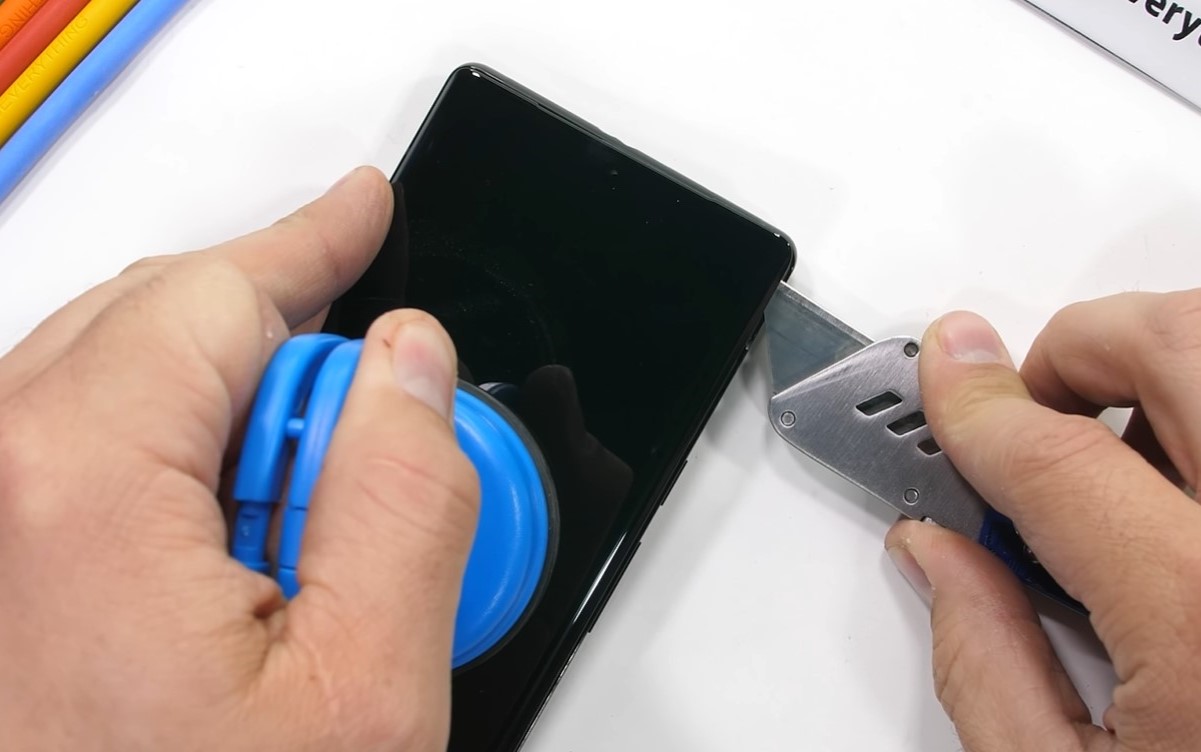
Suction Cup Tool: A suction cup tool provides a secure grip on the screen, allowing for controlled lifting and separation from the device. This tool is instrumental in avoiding accidental damage and ensuring a steady and balanced removal process.
-
Tweezers: Precision tweezers enable the manipulation of small components and delicate cables within the smartphone. They are particularly useful for handling intricate parts and connectors during the disassembly and reassembly stages.
-
Adhesive Strips or Liquid Adhesive: To affix the new screen to the device, adhesive strips or liquid adhesive specifically designed for smartphones are essential. These adhesives ensure a secure and uniform bond between the screen and the device, maintaining structural integrity.
-
Microfiber Cloth: Keeping a microfiber cloth on hand is crucial for maintaining a clean and dust-free work environment. This cloth can be used to gently wipe the device's surfaces and components, preventing the intrusion of debris during the replacement process.
-
Safety Glasses and Gloves: Prioritizing safety, the use of safety glasses and gloves is recommended to protect against potential hazards such as glass shards and adhesive fumes. These protective measures minimize the risk of injury and ensure a secure working environment.
By equipping oneself with these essential tools, individuals can approach the screen replacement process with confidence and precision. Additionally, adhering to proper safety protocols and exercising caution throughout the procedure is imperative for a successful and safe screen replacement experience.
Step-by-Step Guide to Replacing Pixel 6 Screen
-
Prepare the Workspace: Begin by setting up a clean and well-lit workspace to ensure optimal visibility and a conducive environment for the screen replacement process. Gather all the necessary tools and ensure that the Pixel 6 is powered off before proceeding.
-
Remove the SIM Tray: Using a SIM card ejection tool or a paperclip, gently eject the SIM tray from the device and set it aside in a safe location.
-
Heat the Screen Edges: Carefully apply heat to the edges of the Pixel 6 screen using a heat gun or hair dryer set to a moderate temperature. This step helps soften the adhesive securing the screen to the device.
-
Utilize the Suction Cup Tool: Once the adhesive is sufficiently softened, affix a suction cup tool to the screen, ensuring a secure attachment. With steady pressure, lift the suction cup to create a slight gap between the screen and the device.
-
Use Plastic Opening Tools: Insert non-conductive plastic opening tools into the gap created by the suction cup. Gently slide the tools along the edges of the screen to gradually separate it from the Pixel 6, taking care not to apply excessive force.
-
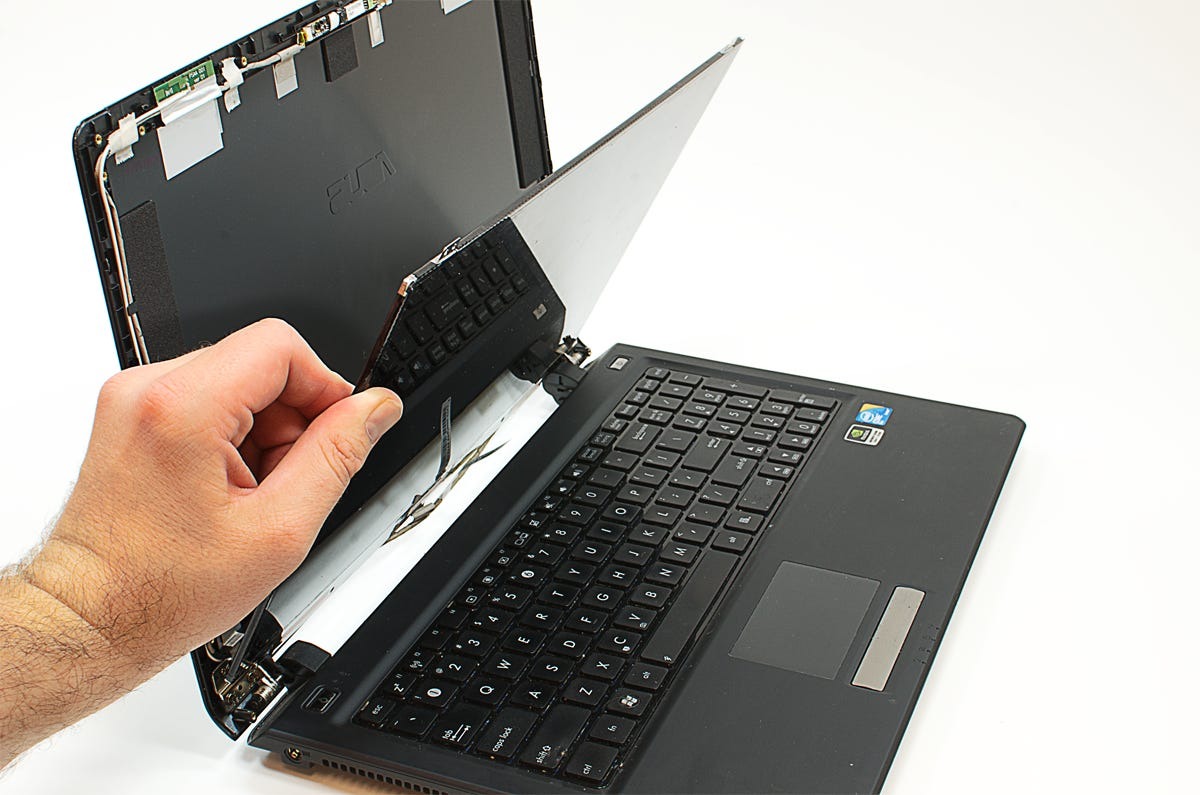
Disconnect the Display Assembly: Upon loosening the screen, carefully lift it to an angle that allows access to the connectors securing the display assembly. Using precision tweezers, disconnect the flex cable connectors and any additional components linking the display to the device.
-
Securely Remove the Screen: Once all connectors are detached, lift the damaged screen away from the Pixel 6 and set it aside. Take this opportunity to clean any residual adhesive or debris from the device's frame using a microfiber cloth.
-
Prepare the New Screen: Prior to installing the new screen, ensure that the device's frame is free of dirt or adhesive remnants. If necessary, apply new adhesive strips or liquid adhesive to the frame in preparation for affixing the replacement screen.
-
Connect the New Screen: Carefully align the connectors of the new screen with the corresponding ports on the Pixel 6. Gently press the connectors into place using precision and caution to ensure a secure and proper connection.
-
Secure the New Screen: With the connectors in place, carefully lower the new screen onto the device, ensuring a precise fit. Apply gentle pressure along the edges to facilitate the adhesion process, securing the replacement screen to the Pixel 6.
-
Reinsert the SIM Tray: Once the new screen is securely in place, reinsert the SIM tray into the device, ensuring a snug fit.
-
Power On and Test: Power on the Pixel 6 to verify the functionality of the new screen. Test the touch responsiveness, display quality, and overall performance to ensure a successful screen replacement.
By following these meticulous steps and exercising patience and precision, individuals can effectively replace the screen of a Pixel 6, restoring the device to its optimal functionality and visual appeal.
Tips for a Successful Screen Replacement
Successfully replacing the screen of a Pixel 6 requires careful attention to detail and adherence to best practices. Here are essential tips to ensure a seamless and effective screen replacement process:
-
Organize and Label Components: Before initiating the screen replacement, organize the removed components and label them accordingly. This meticulous approach will streamline the reassembly process and prevent confusion regarding the placement of specific parts.
-
Document the Disassembly: Consider documenting each step of the disassembly process through photographs or written notes. This documentation can serve as a valuable reference during the reassembly, especially for reconnecting cables and components in their respective positions.
-
Exercise Patience with Adhesive Removal: When removing the damaged screen, exercise patience when dealing with the adhesive. Applying gentle and consistent force, coupled with the use of plastic opening tools, can gradually loosen the adhesive without causing damage to the device's frame.
-
Verify Replacement Screen Compatibility: Prior to installing the new screen, verify its compatibility with the Pixel 6 model. Ensuring that the replacement screen aligns with the device's specifications and dimensions is crucial for a seamless and accurate installation.
-
Double-Check Connector Alignment: When connecting the new screen to the device, double-check the alignment of the connectors to guarantee a secure and proper connection. Misaligned connectors can lead to display irregularities and touch responsiveness issues.
-
Apply Uniform Pressure During Adhesion: When securing the new screen to the device, apply uniform pressure along the edges to facilitate the adhesion process. This ensures a consistent and secure bond between the screen and the Pixel 6, minimizing the risk of uneven adhesion.
-
Test Functionality Before Full Reassembly: After installing the new screen, power on the device and conduct a preliminary functionality test. Verify the touch responsiveness, display quality, and overall performance before proceeding with the full reassembly of the Pixel 6.
-
Seek Professional Assistance if Uncertain: If uncertain about any aspect of the screen replacement process, consider seeking professional assistance from authorized technicians or repair services. Professional expertise can provide reassurance and ensure a successful screen replacement.
By incorporating these tips into the screen replacement process, individuals can navigate the intricacies of replacing the Pixel 6 screen with confidence and precision, ultimately restoring the device to its optimal state.
Common Mistakes to Avoid during Screen Replacement
During the screen replacement process, certain common mistakes can significantly impact the outcome and potentially compromise the functionality and aesthetics of the device. By being mindful of these pitfalls, individuals can navigate the screen replacement procedure with greater efficacy and minimize the risk of errors. Here are the common mistakes to avoid during screen replacement:
Rushing the Disassembly
Rushing the disassembly of the device, particularly when removing the damaged screen, can lead to inadvertent damage to delicate components and connectors. Careless handling and excessive force may result in the misalignment or damage of critical parts, complicating the reassembly process and potentially causing functional issues.
Neglecting Component Organization
Failing to organize and label the removed components during the disassembly phase can lead to confusion during reassembly. Neglecting this crucial step may result in misplaced or incorrectly connected components, impeding the seamless integration of the new screen and potentially causing operational irregularities.
Inadequate Adhesive Removal
Inadequately removing the residual adhesive from the device's frame before installing the new screen can compromise the adhesion and fit of the replacement screen. Neglecting thorough adhesive removal may result in uneven bonding, affecting the structural integrity and visual appeal of the device.
Improper Connector Handling
Mishandling the delicate connectors during the disconnection and reconnection process can pose a significant risk. Applying excessive force or improper alignment when handling the connectors may lead to damage or misalignment, potentially causing display anomalies and touch responsiveness issues.
Skipping Functionality Testing
Failing to conduct comprehensive functionality testing after installing the new screen is a critical oversight. Skipping this essential step may result in undetected display or touch sensitivity issues, which, if left unaddressed, can diminish the overall usability and performance of the device.
Disregarding Safety Measures
Disregarding safety measures, such as the use of protective gear and adherence to proper handling protocols, can pose risks to personal safety and device integrity. Neglecting safety precautions may lead to injuries from glass shards or exposure to adhesive fumes, highlighting the importance of prioritizing safety throughout the screen replacement process.
Ignoring Professional Assistance When Needed
Ignoring the option of seeking professional assistance when uncertain about the screen replacement process can exacerbate potential errors. Professional expertise can provide valuable guidance and ensure a successful screen replacement, particularly in complex or unfamiliar scenarios.
By recognizing and actively avoiding these common mistakes, individuals can approach the screen replacement process with heightened awareness and precision, ultimately fostering a successful and satisfactory outcome.