What is a Portable Video Magnifier?
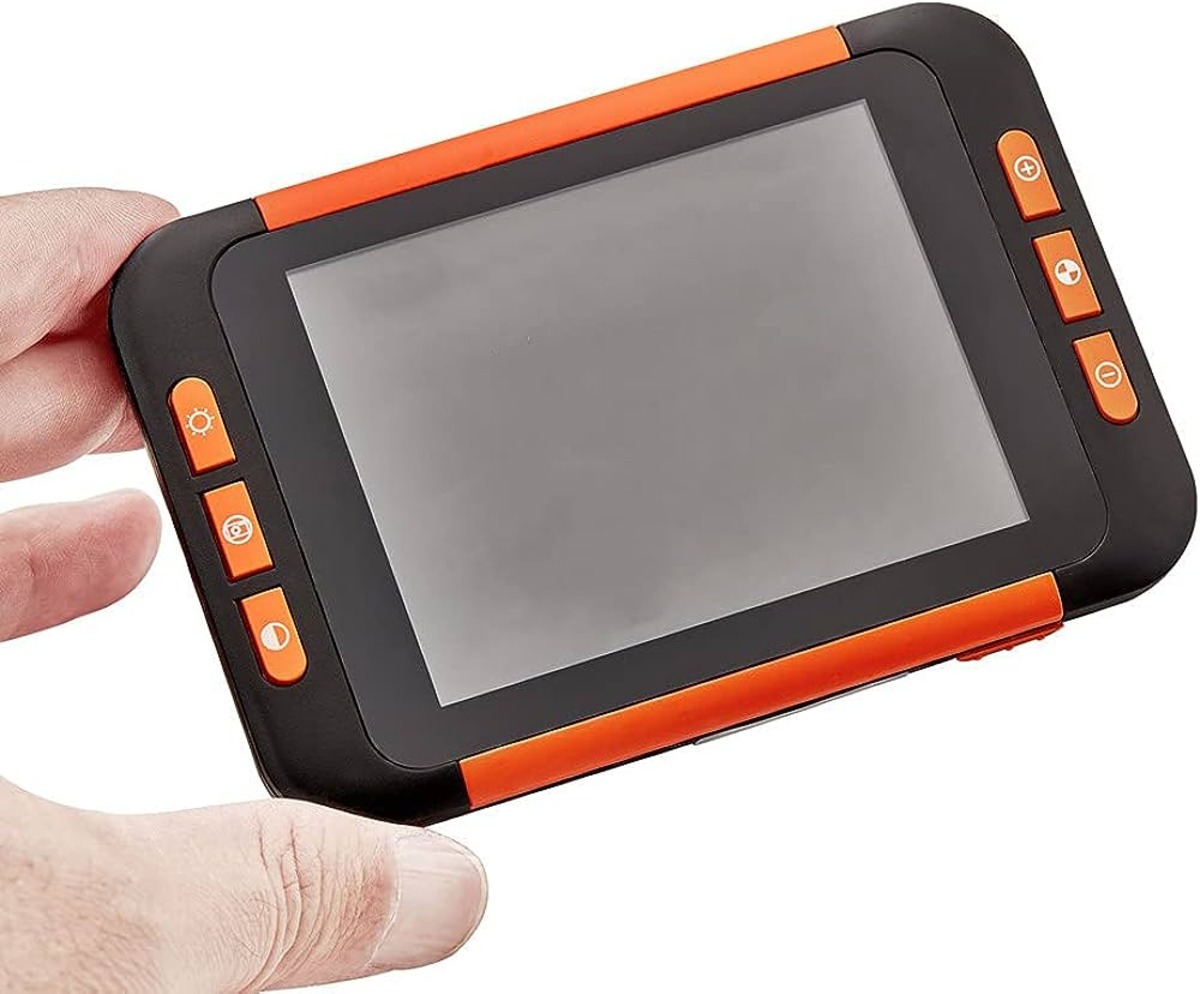
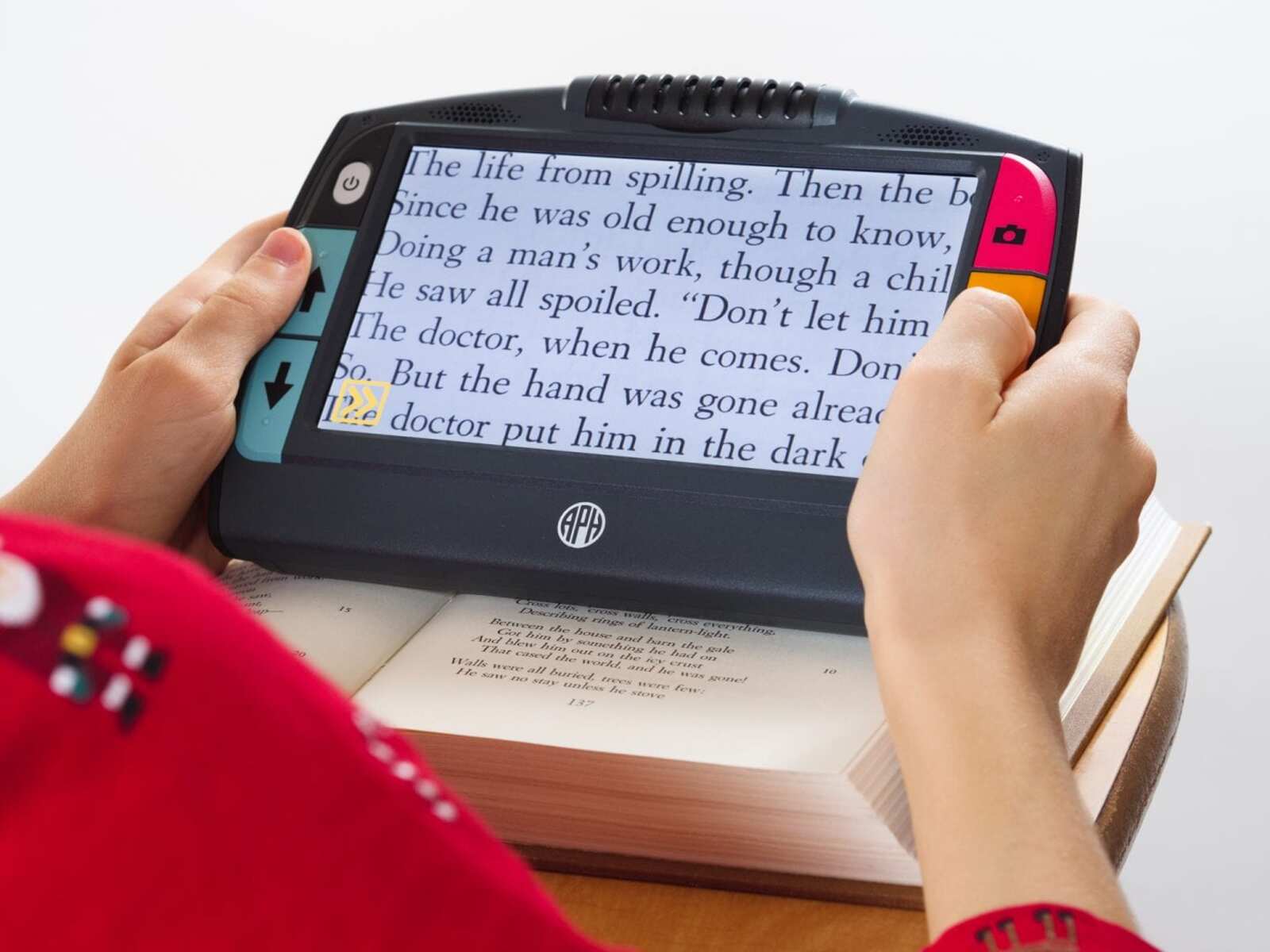
A portable video magnifier is a compact and versatile device designed to assist individuals with low vision in reading and viewing objects more clearly. It consists of a camera and a high-resolution display, allowing users to magnify text, images, and other visual content. This portable solution offers convenience and flexibility, enabling users to carry it with them wherever they go, whether at home, work, or on the go.
Portable video magnifiers are equipped with various features to enhance usability, such as adjustable magnification levels, customizable contrast modes, and built-in lighting to improve visibility. These devices are particularly beneficial for individuals with conditions such as macular degeneration, glaucoma, or diabetic retinopathy, as they provide a practical means to overcome visual challenges and engage in daily activities with greater independence.
The compact nature of portable video magnifiers makes them an ideal tool for reading printed materials, such as books, newspapers, menus, and labels, as well as viewing items like photographs and prescription bottles. Additionally, their portability enables users to utilize them in diverse environments, from classrooms and offices to libraries and outdoor spaces.
With the advancement of technology, many portable video magnifiers now offer additional functionalities, including the ability to capture and store images, adjust color modes to accommodate various visual preferences, and connect to external displays for a more immersive viewing experience. These features contribute to the adaptability and utility of portable video magnifiers, catering to the specific needs and preferences of users with visual impairments.
In essence, a portable video magnifier serves as a valuable tool for individuals with low vision, empowering them to overcome visual limitations and engage with the world more comfortably and confidently. Its compact, user-friendly design, coupled with a range of innovative features, makes it a practical and indispensable aid for enhancing visual accessibility in everyday life.
Features to Look for in a Portable Video Magnifier
When considering a portable video magnifier, it’s essential to assess the features that best align with your specific visual needs and usage requirements. Here are key features to look for when evaluating portable video magnifiers:
- Adjustable Magnification: Look for a device that offers a wide range of magnification levels, allowing you to zoom in and out to accommodate different reading materials and viewing distances.
- High-Resolution Display: A clear, high-resolution screen ensures sharp and detailed magnified images, enhancing readability and visual clarity.
- Customizable Contrast Modes: The ability to adjust contrast settings, such as changing background and text colors, can significantly improve readability for individuals with specific visual preferences or conditions like color blindness.
- Built-in Lighting: Integrated lighting, such as LED illumination, provides enhanced visibility, particularly in low-light environments or when reading materials with poor contrast.
- Portable and Lightweight Design: Opt for a compact and lightweight device that is easy to carry, maneuver, and use in various settings, ensuring convenience and practicality.
- Long Battery Life: A prolonged battery lifespan allows for extended use without frequent recharging, offering greater independence and reliability.
- Image Capture and Storage: Some models feature the capability to capture and save images, which can be beneficial for preserving important visual information or documents.
- Adjustable Viewing Modes: Devices with customizable viewing modes, such as full color, grayscale, or enhanced contrast, cater to diverse visual preferences and reading conditions.
- Port Connectivity: Consider devices that offer connectivity options, such as HDMI or USB, to connect to external displays for a larger viewing experience or to transfer captured images.
- Intuitive Controls and User Interface: An easy-to-navigate interface and user-friendly controls contribute to a seamless and efficient user experience, particularly for individuals with limited dexterity or technological familiarity.
By carefully evaluating these features, you can select a portable video magnifier that best addresses your unique visual needs and enhances your overall reading and viewing experience. Whether for reading printed materials, viewing digital content, or engaging in everyday tasks, the right combination of features can significantly improve visual accessibility and comfort.
How to Choose the Right Portable Video Magnifier for You
Choosing the right portable video magnifier involves considering various factors to ensure that the device meets your specific visual requirements and lifestyle. Here are essential steps to guide you in selecting the most suitable portable video magnifier:
- Assess Your Visual Needs: Determine the specific challenges you encounter when reading or viewing objects and assess the magnification levels and contrast enhancements that would best address your visual limitations.
- Consider Mobility and Portability: Evaluate your daily activities and mobility requirements to choose a device that seamlessly integrates into your lifestyle, whether you need a compact device for travel or a versatile solution for home and work settings.
- Consult with a Vision Specialist: Seek guidance from an optometrist or low vision specialist to gain insights into the features and functionalities that would best accommodate your visual condition and preferences.
- Try Out Different Models: Whenever possible, test various portable video magnifiers to experience their usability, ergonomics, and feature sets firsthand, ensuring that the device aligns with your comfort and usability needs.
- Consider Lighting Conditions: If you frequently read in low-light environments or require additional illumination, prioritize devices with effective built-in lighting or compatibility with external lighting accessories.
- Explore Additional Features: Assess the value of features such as image capture, storage capabilities, connectivity options, and customizable viewing modes based on your specific needs, hobbies, and professional tasks.
- Review User Feedback: Research user reviews and testimonials to gain insights into the real-world experiences of individuals with similar visual challenges, helping you gauge the practicality and effectiveness of different portable video magnifier models.
- Consider Long-Term Use: Evaluate the durability, battery life, and ongoing support for the device to ensure that it can accommodate your long-term visual needs and provide reliable assistance over time.
- Seek Compatibility with Assistive Devices: If you use other assistive technologies or devices, ensure that the portable video magnifier integrates smoothly with your existing tools and complements your overall accessibility setup.
- Factor in Budget and Warranty: Consider the cost of the device, available warranty coverage, and potential additional expenses for accessories or maintenance, ensuring that the chosen portable video magnifier offers long-term value and support.
By methodically considering these factors and steps, you can make an informed decision when choosing a portable video magnifier that harmonizes with your visual needs, daily routines, and personal preferences. Selecting the right device empowers you to navigate the visual world with greater ease, independence, and confidence, enhancing your overall quality of life.
Tips for Using a Portable Video Magnifier
Utilizing a portable video magnifier effectively involves understanding its features and implementing practical strategies to optimize its benefits for reading and viewing tasks. Consider the following tips to enhance your experience with a portable video magnifier:
- Optimize Lighting: Ensure adequate lighting when using the magnifier, as proper illumination can significantly improve visibility and reduce eye strain. Position the device to minimize glare and shadows for optimal viewing conditions.
- Experiment with Magnification Levels: Explore different magnification settings to find the most comfortable and suitable level for various reading materials and viewing distances. Adjust the magnification to accommodate changes in text size or visual details.
- Use Contrast Enhancement: Take advantage of customizable contrast modes to enhance text and image clarity based on your visual preferences. Experiment with different color combinations to find the most readable and comfortable settings for extended use.
- Stabilize the Device: When using the magnifier for extended periods, stabilize the device on a flat surface or use a supportive stand to minimize hand fatigue and maintain a steady viewing position, especially when reading lengthy materials.
- Explore Additional Features: Familiarize yourself with the additional functionalities of the magnifier, such as image capture, storage, and connectivity options, to fully leverage its capabilities for preserving visual information and sharing content with others.
- Practice Hand-Eye Coordination: Develop smooth hand movements and eye coordination when navigating the magnified content, allowing for efficient scanning and reading without unnecessary strain or discomfort.
- Engage in Regular Maintenance: Keep the device clean and well-maintained to ensure optimal performance and longevity. Follow the manufacturer’s guidelines for cleaning the camera lens, display screen, and controls to prevent dust or debris from affecting visibility.
- Adjust for Comfort: Position the magnifier at an ergonomic angle and height to promote comfortable viewing, minimizing neck and back strain. Use supportive accessories or stands to customize the viewing position for extended comfort.
- Seek Training and Support: Explore available resources, such as user manuals, online tutorials, and vision rehabilitation services, to enhance your proficiency in using the portable video magnifier and address any technical or usability challenges.
- Share Experiences with Peers: Connect with individuals who use portable video magnifiers to exchange tips, experiences, and recommendations, fostering a supportive community and gaining valuable insights into maximizing the benefits of the device.
By incorporating these tips into your usage of a portable video magnifier, you can optimize its functionality and tailor its features to best suit your visual preferences and reading habits. Embracing practical techniques and exploring the full potential of the device enhances its value as a reliable and empowering tool for visual accessibility.
Comparison of Popular Portable Video Magnifiers
Several popular portable video magnifiers stand out for their innovative features and user-friendly designs, catering to diverse visual needs and preferences. Here’s a comparison of notable portable video magnifiers to help you make an informed choice:
- Optelec Compact 6 HD: This portable magnifier offers a 6-inch high-definition display with adjustable magnification up to 24x. It features customizable high-contrast color modes, intuitive touch controls, and the ability to capture and save images. The Optelec Compact 6 HD is praised for its compact form factor and long battery life, making it suitable for on-the-go use.
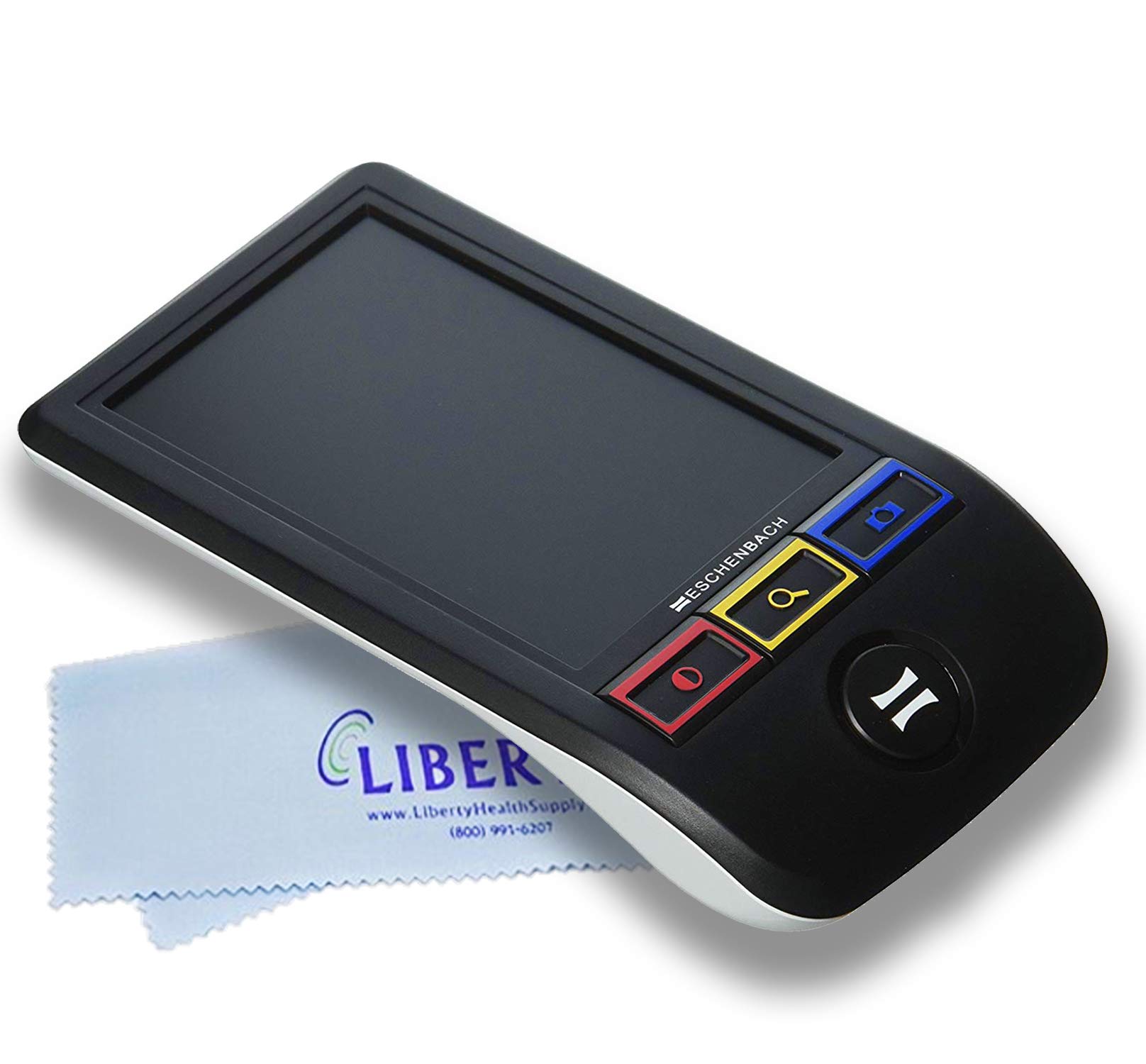
- Eschenbach SmartLux Digital: Known for its ergonomic design and simple operation, the SmartLux Digital features a 5-inch display and magnification up to 12x. It offers adjustable contrast modes, freeze-frame functionality for image capture, and a foldable handle for easy portability. The device is lauded for its user-friendly interface and tactile buttons, catering to individuals with varying levels of technological familiarity.
- RevoSight Portable Electronic Magnifier: With a focus on versatility, the RevoSight magnifier boasts a 10-inch full-color display and magnification up to 15x. It incorporates adjustable LED lighting, customizable color modes, and the ability to connect to external monitors or TVs. The device’s large screen and flexible viewing options make it suitable for tasks requiring extended reading and detailed visual examination.
- HumanWare Explore 8: Offering an 8-inch touch screen and magnification up to 30x, the HumanWare Explore 8 provides customizable contrast modes, image storage capability, and wireless connectivity for sharing captured content. Its compact and lightweight design, coupled with an intuitive interface, appeals to users seeking a balance of portability and advanced features for various reading and viewing scenarios.
- Zoomax Snow 12: The Snow 12 features a unique 12-inch full-page display with magnification up to 19x, making it well-suited for reading larger documents and viewing detailed images. It incorporates voice guidance, multiple reading modes, and the ability to capture and store images and documents. The device’s emphasis on comprehensive visual accessibility and document handling sets it apart for users requiring extensive reading and detailed visual examination.
Each of these portable video magnifiers offers distinct advantages in terms of display size, magnification capabilities, contrast enhancement, portability, and additional features. By comparing these popular models based on your specific visual needs, reading habits, and lifestyle requirements, you can identify the most suitable portable video magnifier to enhance your visual accessibility and comfort.