What is Automatic Activation?
What is Automatic Activation?
Automatic activation refers to the feature on mobile devices that enables certain functions to turn on without manual intervention. In the context of smartphones, one common example of automatic activation is the turning on of Bluetooth without the user explicitly initiating the action. This can occur for various reasons, and understanding the underlying mechanisms can help users manage and troubleshoot this behavior effectively.
Bluetooth automatic activation is particularly prevalent in smartphones, where the technology facilitates seamless connectivity with a wide range of devices, including wireless headphones, car audio systems, and smartwatches. While this feature offers convenience, it can also lead to unexpected battery drain and potential privacy concerns if not managed properly.
Understanding the intricacies of automatic activation, particularly in relation to Bluetooth functionality, is crucial for smartphone users seeking to optimize their device’s performance and maintain control over their connectivity settings.
Stay tuned to delve deeper into the mechanisms behind Bluetooth automatic activation and learn how to effectively manage and troubleshoot this feature.
How Does Bluetooth Automatic Activation Work?
Bluetooth automatic activation operates based on predefined triggers and settings within the smartphone’s operating system. When these triggers are activated, the device will automatically enable Bluetooth functionality without requiring manual input from the user. Understanding the underlying mechanisms can shed light on why Bluetooth may turn on unexpectedly and how to manage this feature effectively.
Smartphones utilize a combination of hardware and software components to facilitate Bluetooth automatic activation. The hardware aspect involves the Bluetooth radio within the device, which can be triggered to power on based on specific conditions. Meanwhile, the software governing automatic activation comprises the operating system and associated settings that dictate when Bluetooth should be enabled without explicit user action.
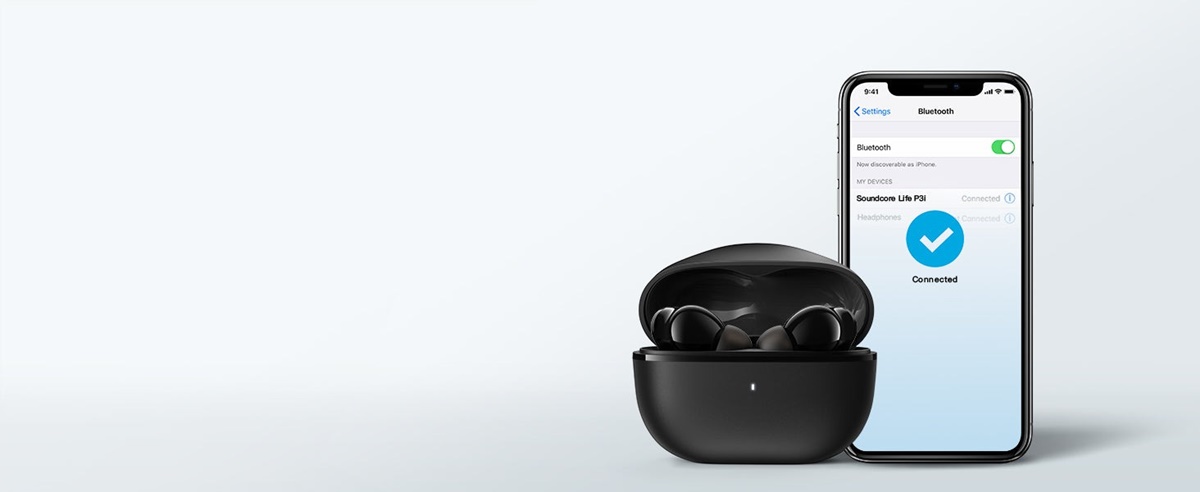
One common trigger for Bluetooth automatic activation is the detection of compatible devices within proximity. For example, when a smartphone identifies a familiar Bluetooth-enabled accessory, such as a previously paired headset or car stereo, it may automatically activate Bluetooth to establish a connection. Additionally, certain apps and system processes may prompt Bluetooth activation to facilitate specific functions, such as location-based services or wireless data transfer.
Furthermore, smartphone manufacturers often incorporate power-saving features that dynamically enable Bluetooth when certain applications or services require its functionality. This adaptive behavior aims to optimize energy consumption while ensuring seamless connectivity for the user.
By comprehending the interplay between hardware, software, and user-defined settings, smartphone owners can gain insight into the factors influencing Bluetooth automatic activation. This knowledge forms the foundation for effectively managing and troubleshooting unexpected Bluetooth behavior on their devices.
Common Reasons for Bluetooth Automatic Activation
Several factors contribute to the automatic activation of Bluetooth on smartphones, often leading to unexpected behavior that may impact user experience and device performance. Understanding these common reasons can empower users to proactively manage their Bluetooth settings and address potential issues effectively.
- Proximity Detection: Bluetooth automatic activation frequently occurs when a smartphone detects compatible devices within close proximity. This feature aims to streamline the process of establishing connections with familiar accessories, such as wireless headphones, car audio systems, or smartwatches.
- App and System Triggers: Certain applications and system processes may trigger Bluetooth activation to enable specific functionalities, such as wireless data transfer, location-based services, or communication with IoT (Internet of Things) devices. Background processes and services can autonomously activate Bluetooth to fulfill these requirements.
- Power-Saving Features: Many smartphones incorporate power-saving mechanisms that dynamically control Bluetooth activation based on usage patterns and resource optimization. When an application necessitates Bluetooth connectivity, the device may automatically activate the feature to fulfill the application’s requirements, contributing to energy efficiency.
- Interference with Other Wireless Technologies: In some scenarios, interference with other wireless technologies or electromagnetic signals can inadvertently trigger Bluetooth activation. Environmental factors, nearby electronic devices, or conflicting wireless signals may influence the automatic activation of Bluetooth on a smartphone.
- Software Updates and Glitches: Software updates or glitches within the smartphone’s operating system can occasionally lead to unexpected Bluetooth activation. Changes in system behavior, firmware updates, or software anomalies may inadvertently trigger Bluetooth without user input, necessitating troubleshooting and potential bug fixes.
By recognizing these common reasons for Bluetooth automatic activation, smartphone users can gain insights into the diverse factors influencing this functionality. This awareness enables them to adopt proactive measures to manage Bluetooth settings effectively and address any unwanted automatic activation occurrences.
How to Troubleshoot Bluetooth Automatic Activation
When encountering unexpected Bluetooth automatic activation on a smartphone, users can employ various troubleshooting measures to identify and address the underlying causes. By following these steps, individuals can regain control over their device’s Bluetooth functionality and mitigate any disruptive automatic activation occurrences.
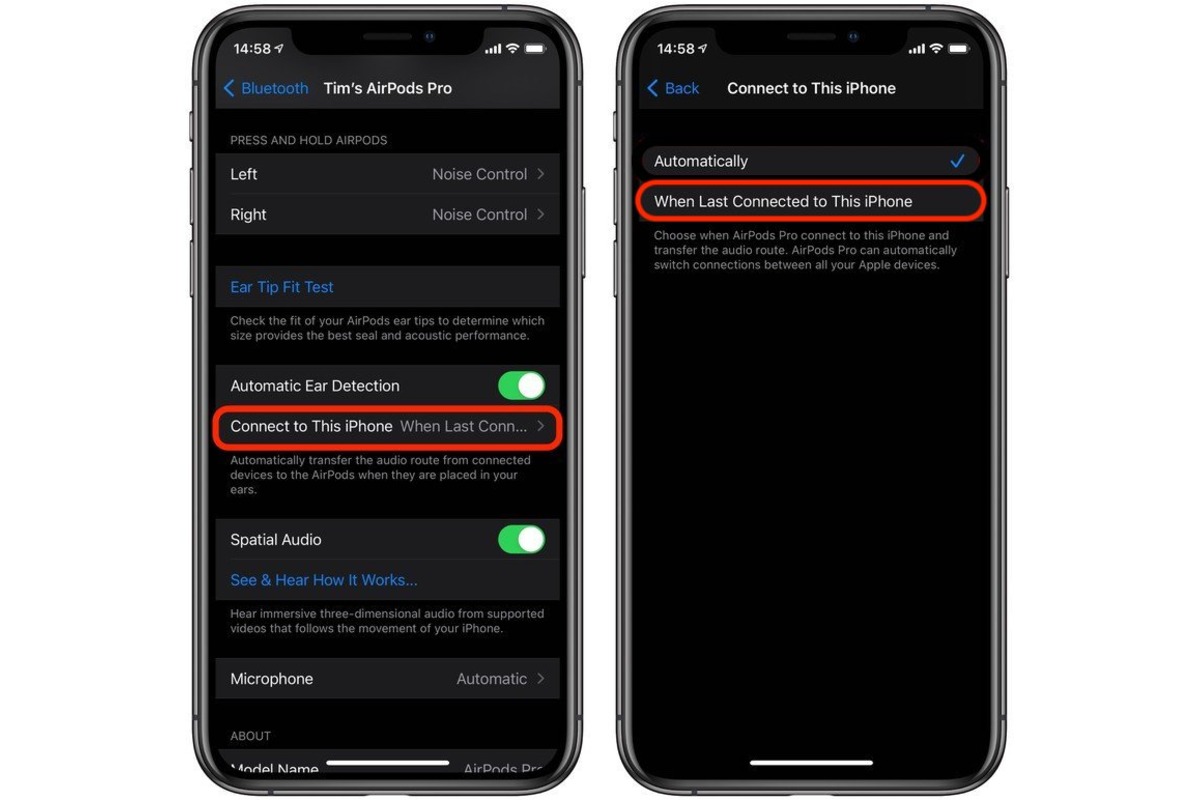
- Review Bluetooth Settings: Begin by reviewing the Bluetooth settings on the smartphone to ensure that no unfamiliar or unauthorized devices are attempting to establish connections. Remove any unnecessary pairings and disable the “auto-connect” feature for devices that are not frequently used.
- Check App Permissions: Examine the permissions granted to installed applications, particularly those that utilize Bluetooth functionality. Restrict unnecessary permissions for apps that do not require Bluetooth access, as this can prevent unauthorized or inadvertent Bluetooth activation triggered by apps.
- Restart the Device: Performing a simple restart of the smartphone can help resolve temporary software glitches and erratic behavior, potentially alleviating unwanted Bluetooth automatic activation.
- Update System Software: Ensure that the smartphone’s operating system is up to date by installing the latest software updates and patches. Software updates often include bug fixes and enhancements that can address issues related to Bluetooth automatic activation.
- Monitor Background Processes: Use system monitoring tools or task managers to observe background processes and services that may be triggering Bluetooth activation. Identifying and terminating any misbehaving processes can help mitigate unexpected Bluetooth behavior.
- Reset Network Settings: Consider resetting the smartphone’s network settings to default, which can resolve connectivity-related issues and restore Bluetooth functionality to a stable state.
- Contact Support: If persistent Bluetooth automatic activation issues persist despite troubleshooting efforts, reaching out to the smartphone manufacturer’s support channels or seeking assistance from technical experts may provide additional insights and potential solutions.
By implementing these troubleshooting strategies, smartphone users can effectively address Bluetooth automatic activation issues and regain control over their device’s connectivity settings. These proactive measures empower individuals to manage Bluetooth functionality and ensure a seamless and reliable user experience.
Tips for Preventing Unwanted Bluetooth Activation
To minimize the occurrence of unwanted Bluetooth activation and maintain greater control over connectivity settings, smartphone users can adopt proactive strategies and best practices. By implementing the following tips, individuals can mitigate the likelihood of unexpected Bluetooth activation and optimize their device’s overall performance.
- Disable Bluetooth When Not in Use: Manually turning off Bluetooth when it is not actively required can prevent automatic activation triggered by proximity detection or background processes.
- Regularly Review Paired Devices: Periodically review the list of paired Bluetooth devices on the smartphone and remove any unnecessary or unfamiliar pairings. This practice enhances security and reduces the potential for unauthorized connections.
- Utilize Airplane Mode: Activating airplane mode when in environments where Bluetooth connectivity is not essential can effectively prevent automatic Bluetooth activation and conserve battery life.
- Optimize App Permissions: Review and manage app permissions to restrict unnecessary access to Bluetooth functionality, minimizing the potential for apps to trigger unwanted Bluetooth activation.
- Update Apps and Firmware: Regularly update installed applications and the smartphone’s firmware to ensure that any known Bluetooth-related issues or vulnerabilities are addressed through software enhancements and bug fixes.
- Utilize Bluetooth-Enabled Accessories Wisely: Exercise caution when using Bluetooth-enabled accessories and ensure that they are from reputable sources to minimize the risk of unauthorized or disruptive connections.
- Stay Informed About Security: Stay informed about potential security risks associated with Bluetooth connectivity and adhere to best practices for securing wireless connections to prevent unauthorized access and interference.
- Explore Third-Party Management Apps: Consider utilizing third-party applications designed to manage and optimize Bluetooth settings, providing additional control and customization options to prevent unwanted automatic activation.
By incorporating these preventative measures into their smartphone usage habits, individuals can proactively mitigate the occurrence of unwanted Bluetooth activation and maintain a secure and efficient Bluetooth experience. These tips empower users to take control of their device’s connectivity settings and optimize their overall digital lifestyle.