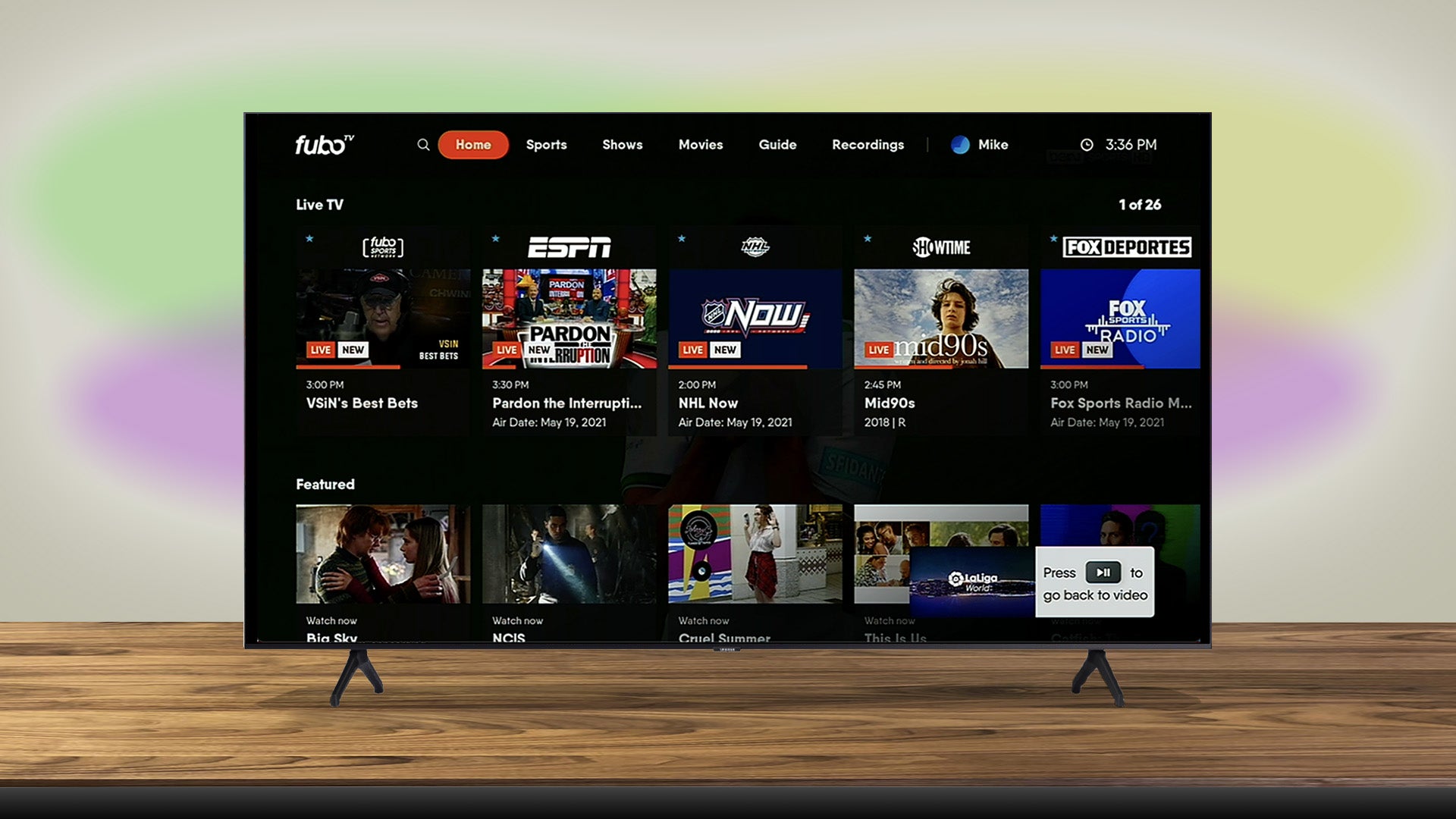
What is Fubo TV?
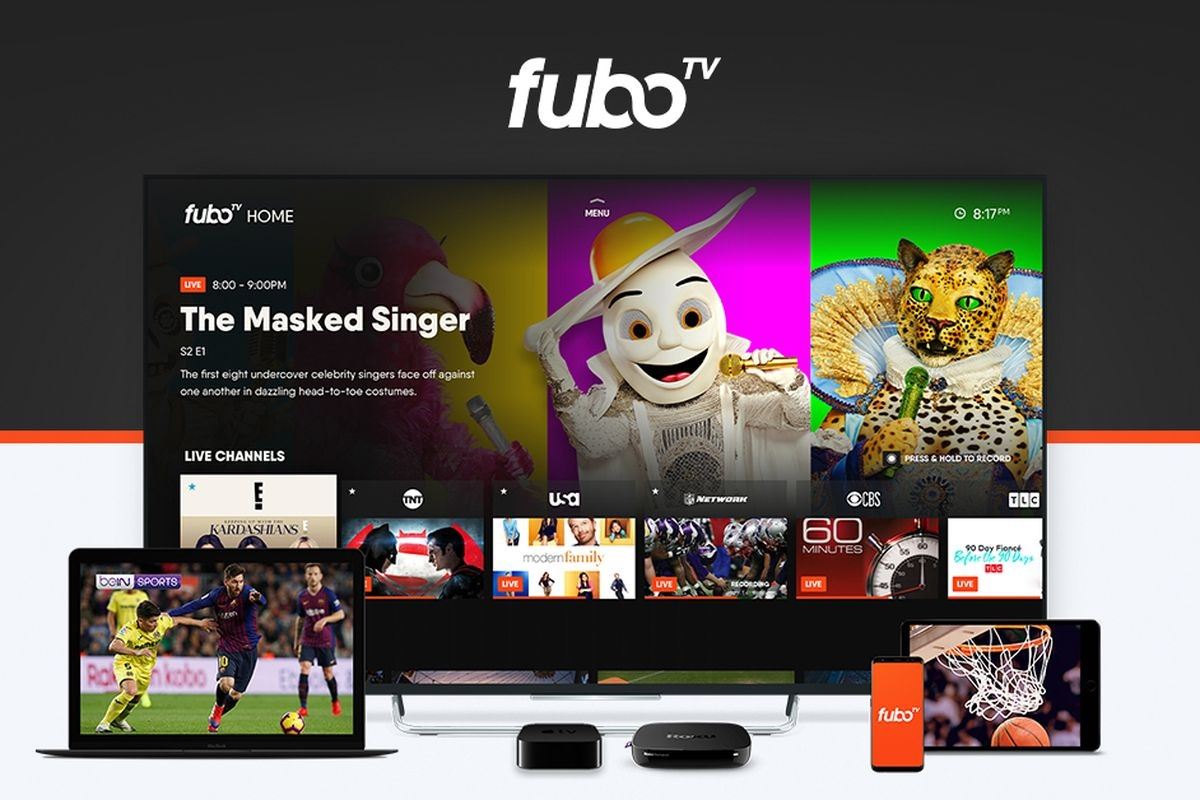
Fubo TV is a popular streaming platform that offers live TV and on-demand content, with a strong focus on sports programming. It allows viewers to access a wide range of channels and watch their favorite shows, movies, and sports events from their internet-connected devices. With Fubo TV, you can enjoy live sports, news, entertainment, and more, all in one place.
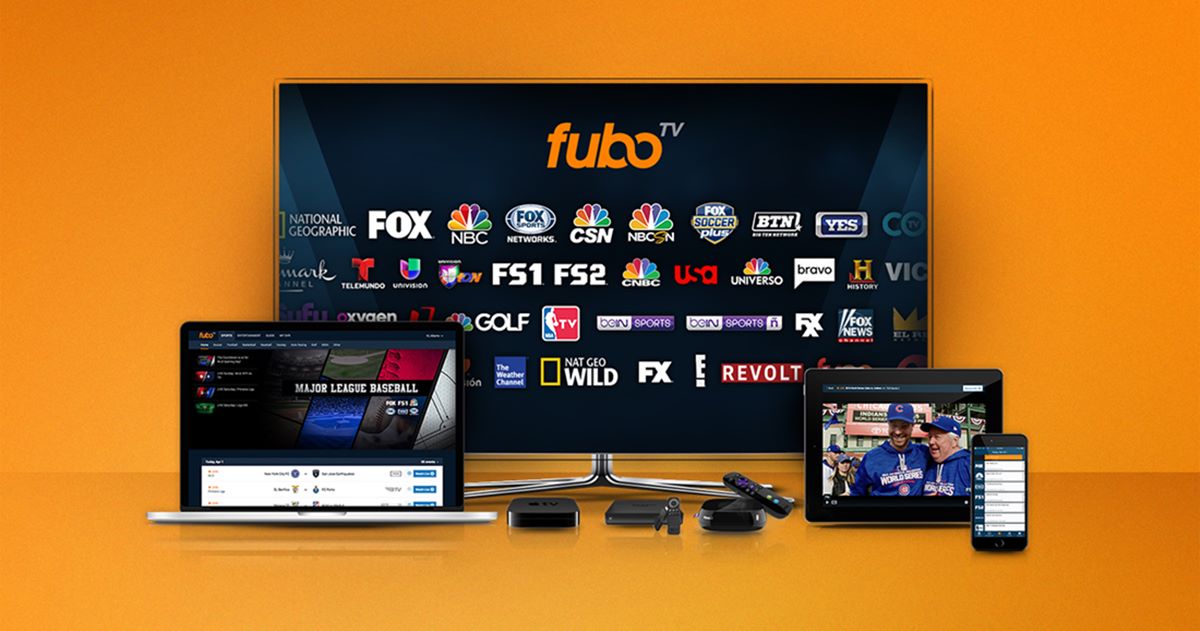
One of the main selling points of Fubo TV is its extensive sports coverage. It offers a variety of sports channels, including ESPN, Fox Sports, NBC Sports, and many others, making it a great choice for sports enthusiasts. Whether you’re a football fan, a basketball buff, or a soccer aficionado, Fubo TV has you covered with its comprehensive sports offerings.
In addition to sports, Fubo TV also provides a wide range of entertainment channels, including popular networks such as ABC, CBS, AMC, and FX. This means you won’t miss out on your favorite TV shows, movies, and series. With Fubo TV, you can catch up on the latest episodes of your favorite programs and explore a vast library of on-demand content.
What sets Fubo TV apart from other streaming platforms is its emphasis on live TV. Unlike some services that focus primarily on on-demand content, Fubo TV allows you to watch live broadcasts as they happen. This is particularly appealing for sports fans who want to follow their favorite teams in real-time and never miss a game-winning play or a thrilling match.
Fubo TV offers flexible subscription plans, allowing you to choose the one that best suits your needs. Whether you prefer a basic package with essential channels or a premium plan that includes additional sports channels and features, Fubo TV offers various options to cater to different preferences and budgets. Moreover, the platform is compatible with a wide range of devices, including smartphones, tablets, computers, smart TVs, and streaming devices, so you can enjoy your favorite content on your preferred screen.
So, if you’re a sports enthusiast or someone looking for a comprehensive streaming service with a mix of live TV and on-demand content, Fubo TV is definitely worth considering. With its extensive selection of sports channels, entertainment networks, and user-friendly interface, Fubo TV provides a convenient and enjoyable way to stay connected to your favorite shows and sports events.
How Does Fubo TV Work?
Fubo TV operates as an Over-The-Top (OTT) streaming service, which means it delivers content via the internet directly to your devices without the need for a traditional cable or satellite connection. This allows you to watch your favorite shows and sports events whenever and wherever you want, as long as you have an internet connection.
To access Fubo TV, you first need to sign up for an account on their website. During the sign-up process, you will be asked to choose a subscription plan based on your preferences and budget. Fubo TV offers different packages, ranging from basic plans with essential channels to premium plans with additional features and sports networks.
Once you have subscribed to Fubo TV, you can watch it on various devices, including smartphones, tablets, computers, smart TVs, and streaming devices. Simply download the Fubo TV app on your device or access the platform through a web browser. With a single account, you can stream your favorite content on multiple devices simultaneously, making it convenient for families or households with different viewing preferences.
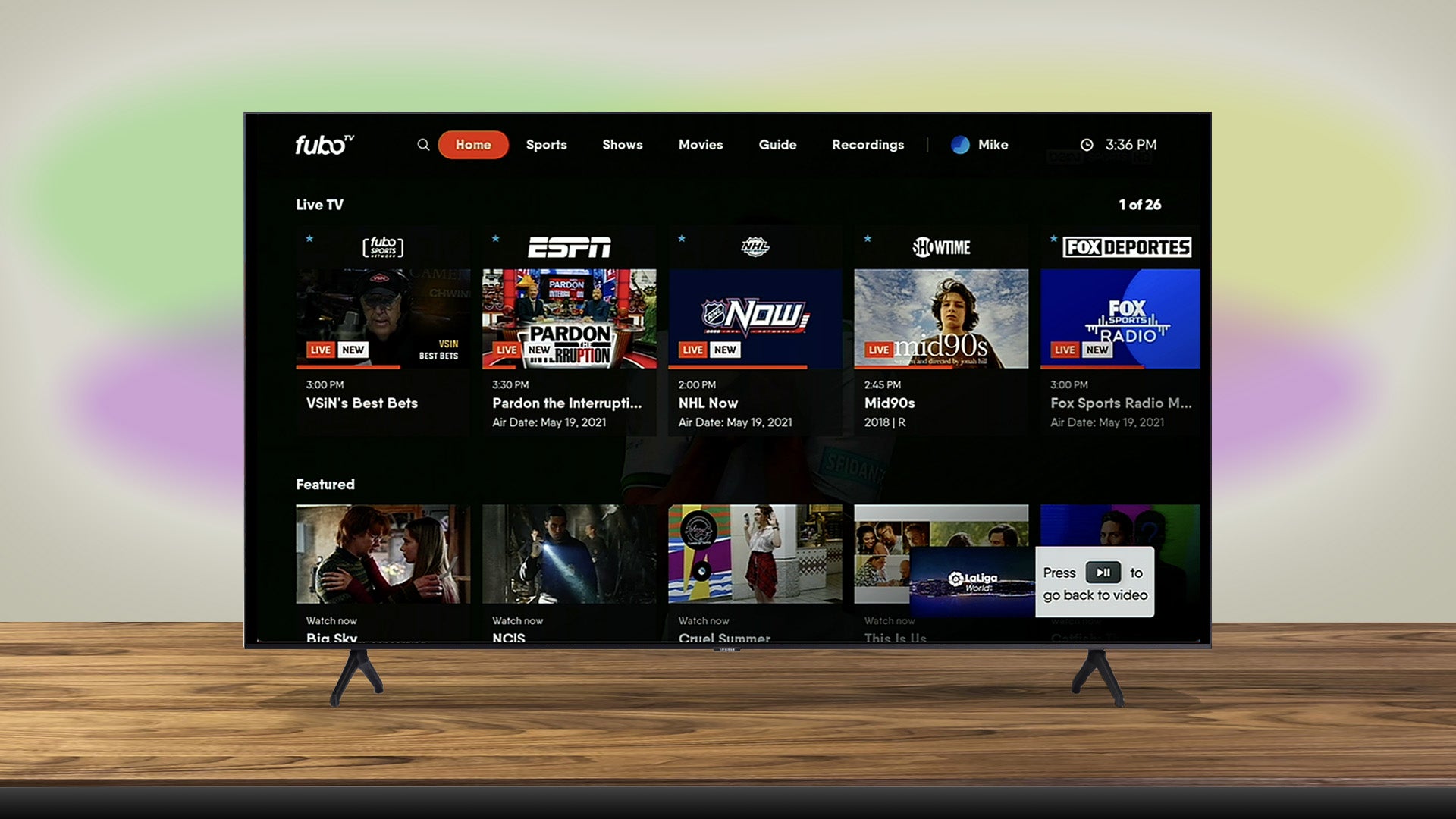
To start watching live TV on Fubo TV, navigate to the channel guide or use the search function to find the program you want to watch. Fubo TV provides a user-friendly interface, making it easy to browse through the available channels and select what you want to watch. Simply click on the desired channel or program, and it will start playing in real-time, allowing you to enjoy the excitement of live broadcasts.
In addition to live TV, Fubo TV offers a DVR feature, which allows you to record shows and games to watch at a later time. With the cloud-based DVR, you have the flexibility to record multiple programs simultaneously and access them from any device. This feature is especially advantageous if you have a busy schedule and want to catch up on your favorite shows or sports events at your convenience.
Fubo TV also provides an extensive library of on-demand content, including movies, TV shows, and series. You can explore different genres and categories to find something that suits your interests. Whether you’re in the mood for a thrilling drama, a hilarious comedy, or an action-packed movie, Fubo TV has a wide selection of on-demand content to keep you entertained.
Overall, Fubo TV offers a seamless and flexible streaming experience. Whether you prefer watching live TV, recording shows, or enjoying on-demand content, Fubo TV gives you the freedom to customize your viewing experience according to your preferences. With its user-friendly interface and wide device compatibility, Fubo TV makes it easy to stay connected to your favorite shows and sports events at home or on the go.
Signing Up for Fubo TV
Signing up for Fubo TV is a straightforward process that allows you to start enjoying your favorite shows and sports events in no time. Here’s a step-by-step guide on how to sign up for Fubo TV:
- Visit the Fubo TV website at www.fubo.tv.
- Click on the “Start Your Free Trial” button located on the homepage.
- Create an account by entering your email address and a secure password.
- Choose a subscription plan that suits your preferences and budget. Fubo TV offers different packages, ranging from basic plans with essential channels to premium plans with additional sports networks and features.
- Provide your payment information to complete the sign-up process. Fubo TV accepts major credit cards, debit cards, and some mobile payment options.
- Once your payment is confirmed, you can start streaming immediately.
During the sign-up process, Fubo TV may also ask for some additional information, such as your name and location, to personalize your experience and provide relevant recommendations. However, the process is quick and straightforward, and your personal information is handled with utmost privacy and security.
Fubo TV offers a free trial period for new users, giving you an opportunity to test the service and explore its features before committing to a paid subscription. The length of the free trial may vary, so make sure to check the details during the sign-up process. If you decide that Fubo TV is not the right fit for you, you can cancel your subscription before the trial period ends, and you won’t be charged.
Once you have successfully signed up for Fubo TV, you can access the service on various devices, including smartphones, tablets, computers, smart TVs, and streaming devices. Simply download the Fubo TV app or navigate to their website and log in using your account credentials. The same account can be used on multiple devices, allowing you to enjoy your favorite content wherever you go.
In summary, signing up for Fubo TV is a simple and hassle-free process. By following these steps, you can create an account, choose a subscription plan, and start streaming live TV, sports events, and on-demand content right away. Whether you’re a sports enthusiast, a movie lover, or someone who enjoys a variety of TV shows, Fubo TV offers a convenient and enjoyable way to access a wide range of content from the comfort of your own home or on the go.
Choosing the Right Subscription Plan
When signing up for Fubo TV, it’s important to choose the subscription plan that best fits your viewing needs, preferences, and budget. Fubo TV offers a range of plans, each with its own features and channel lineup, to cater to different types of viewers. Here are some factors to consider when selecting the right subscription plan:
- Channel Selection: Take a look at the channel lineup of each plan to ensure that it includes the channels you frequently watch. Fubo TV offers a variety of packages, including basic plans with essential channels and premium plans with additional sports networks, movie channels, and entertainment options. Consider your preferences for sports, news, movies, and TV shows to determine the plan that provides the best content for you.
- Sports Coverage: If you’re a sports enthusiast, Fubo TV offers packages that prioritize sports programming, with a wide range of sports channels, including ESPN, Fox Sports, NBC Sports, and more. Make sure to select a plan that includes the sports networks you’re interested in, whether it’s football, basketball, soccer, or other sports.
- Device Compatibility: Ensure that the plan you choose is compatible with the devices you own. Fubo TV supports streaming on smartphones, tablets, computers, smart TVs, and streaming devices. Check if your preferred devices are supported to ensure a seamless streaming experience.
- Number of Streams: Consider how many people in your household will be using Fubo TV simultaneously. Different plans offer varying numbers of simultaneous streams. If you have multiple family members who want to watch different shows or games at the same time, opt for a plan that allows multiple concurrent streams.
- On-Demand Content: Depending on your preferences, you may want access to a vast library of on-demand movies and TV shows. Check if the plan includes a robust on-demand library to ensure you can enjoy a variety of content in addition to live TV.
Fubo TV offers a variety of subscription plans, ranging from affordable basic packages to premium plans with extra features. Take your time to compare the different options and consider your specific entertainment needs. It’s worth noting that Fubo TV also provides add-ons and upgrades, such as additional sports packages and cloud DVR storage, which can enhance your viewing experience if desired.
As your preferences may change over time, Fubo TV offers the flexibility to upgrade or downgrade your subscription plan as needed. This allows you to adapt your viewing options to your evolving interests and budget.
By carefully evaluating the channel lineup, sports coverage, device compatibility, simultaneous streams, and on-demand content, you can select the right Fubo TV subscription plan that offers a well-rounded and personalized entertainment experience.
Getting Fubo TV on Your Devices
Fubo TV is compatible with a wide range of devices, allowing you to enjoy your favorite shows and sports events on the device of your choice. Here’s how to get Fubo TV on your devices:
Smartphones and Tablets: To watch Fubo TV on your smartphone or tablet, simply go to the app store on your device and search for the Fubo TV app. Download and install the app, then log in using your Fubo TV account credentials. Once logged in, you can start streaming live TV, on-demand content, and your favorite sports events right from your mobile device.
Computers: You can access Fubo TV on your computer by visiting the Fubo TV website. Simply open a web browser and go to www.fubo.tv. Once on the website, log in to your account using your credentials, and you’ll have instant access to live TV, sports channels, and on-demand content. Fubo TV works on popular web browsers such as Chrome, Firefox, Safari, and Edge, so you can enjoy streaming on your preferred browser.
Smart TVs: Many smart TVs are compatible with the Fubo TV app. Check if your smart TV has the Fubo TV app pre-installed or if it is available for download from the app store on your TV. If the app is pre-installed, simply open it and log in with your Fubo TV account. If you need to download the app, search for “Fubo TV” in the app store on your TV, install it, and sign in to start streaming.
Streaming Devices: If you have a streaming device such as Roku, Amazon Fire TV, Apple TV, or Chromecast, you can easily access Fubo TV on these devices. Navigate to the app store on your streaming device, search for the Fubo TV app, and install it. Once the app is installed, launch it and log in using your Fubo TV account credentials. You’ll be able to enjoy live TV, sports, and on-demand content on your big screen.
Fubo TV also offers the flexibility to stream on multiple devices simultaneously with a single account. This means you can switch between devices and enjoy your favorite shows or sports events on different screens, depending on your preferences and convenience.
It’s important to note that Fubo TV may have different features and functionality depending on the device you’re using. However, the core streaming experience remains consistent, allowing you to access a wide range of live TV channels, sports coverage, and on-demand content across your devices.
In summary, getting Fubo TV on your devices is a simple process. Whether you prefer watching on your smartphone, tablet, computer, smart TV, or streaming device, Fubo TV offers compatibility with a wide range of devices, ensuring that you can enjoy your favorite content wherever and whenever you want.
Watching Live TV on Fubo TV
One of the key features of Fubo TV is the ability to watch live TV channels in real-time. Whether you want to catch up on the latest sports events, stay updated with the news, or enjoy your favorite TV shows as they air, Fubo TV provides a seamless live TV streaming experience. Here’s how to watch live TV on Fubo TV:
1. Navigate to Live TV: After logging in to your Fubo TV account, you will be presented with the homepage. Look for the “Live TV” section, which is typically located at the top or in a menu bar. Click on it to access the live TV channels available to you based on your subscription plan.
2. Browse the Channel Guide: Fubo TV provides a user-friendly channel guide that displays all the available channels in a grid format. You can scroll horizontally or vertically to navigate through the guide and see what’s currently playing on each channel. The guide also shows the schedule for upcoming shows and events, allowing you to plan your viewing in advance.
3. Select a Channel to Watch: Once you find a channel that you want to watch, click on it in the channel guide. The channel will immediately start streaming in real-time, allowing you to enjoy the content as it is being broadcasted. You can watch live sports games, breaking news, talk shows, and much more, just like you would with traditional cable or satellite TV.
4. Channel Surfing: If you prefer to explore different channels, Fubo TV makes it easy to switch between channels. Simply use the channel guide or the remote control on your device to switch to another channel. This allows you to discover new programs and find something that suits your interests.
5. Favorite Channels: To easily access your favorite channels, you can add them to your list of favorites. This feature allows you to quickly navigate to your preferred channels without having to scroll through the entire channel guide.
6. Picture-in-Picture: Fubo TV also offers a picture-in-picture mode, allowing you to watch multiple channels at the same time. This feature is particularly useful when there are multiple live events happening simultaneously, and you don’t want to miss any of the action.
With Fubo TV’s live TV streaming capabilities, you can enjoy the convenience of watching your favorite shows and sports events in real-time from anywhere with an internet connection. Whether you’re at home, traveling, or on the go, Fubo TV ensures that you never miss a moment of live TV excitement.
Using the Fubo TV Guide
The Fubo TV Guide is a valuable tool that helps you navigate through the available channels and find the shows and sports events you want to watch. Offering a convenient grid format, the guide allows you to easily explore the channel lineup, view program schedules, and plan your viewing experience. Here’s how to effectively use the Fubo TV Guide:
1. Accessing the Guide: The Fubo TV Guide is typically accessible from the homepage or the main menu. Look for the “Guide” tab or icon and click on it to open the guide.
2. Channel Grid: The guide is presented in a grid format, with channels listed vertically and time slots listed horizontally. Channels are displayed with their corresponding logos, making it easy to recognize them.
3. Scrolling and Navigating: You can scroll vertically through the guide to view more channels. To see what’s playing at different times, scroll horizontally to move through the time slots. This allows you to explore the program schedule for different hours of the day.
4. Program Information: Hover your cursor over a specific program in the guide to see more information about it. This includes the program title, brief description, and the remaining time until it finishes. This feature helps you make informed decisions about what to watch.
5. Channel Filters: Fubo TV may provide filters to narrow down the channel list based on specific categories or genres. This can be useful if you’re looking for sports channels, movie networks, or specific types of programming.
6. Search Functionality: Utilize the search bar within the guide to quickly find a specific show, sports event, or channel. Simply type in the keywords or the name of what you’re looking for, and the guide will display the relevant results.
7. Favorite Channels: You can mark your favorite channels by selecting the “Add to Favorites” option. This allows you to create a personalized list of channels for quick access, saving you time from scrolling through the entire guide.
8. Planning Your Viewing: The Fubo TV Guide allows you to plan your viewing ahead of time. By checking the program schedule, you can see what’s coming up and ensure you don’t miss your favorite shows, sports games, or live events.
Whether you’re looking to explore new programs or stay updated with your preferred channels, the Fubo TV Guide is an essential tool for seamless navigation and efficient content discovery. Utilize its features to maximize your viewing experience and make the most of the wide range of live TV and on-demand content available on Fubo TV.
Recording and Watching Shows on Fubo TV
Fubo TV offers a convenient DVR (Digital Video Recorder) feature that allows you to record your favorite shows, sports events, and movies to watch at your convenience. This gives you the flexibility to customize your viewing schedule and never miss a moment of your desired content. Here’s how to record and watch shows on Fubo TV:
1. Recording a Show: To record a show, simply find it in the Fubo TV Guide and click on it. You will be presented with the option to record the show. Select the record button, and Fubo TV will automatically record the episode for you. You can record multiple shows simultaneously, as the cloud-based DVR allows for a certain number of concurrent recordings.
2. Managing Your Recordings: Fubo TV provides a dedicated section for managing your recordings. Look for the “Recordings” tab or icon in the Fubo TV interface to access your recorded content. From there, you can see a list of your recordings, organize them, and view details about each recorded show or event.
3. Watching a Recorded Show: To watch a recorded show, navigate to the “Recordings” section and select the episode you want to watch. Fubo TV will start playing the recorded content, allowing you to enjoy it at your preferred time. You can pause, rewind, and fast forward through the recorded show, giving you full control over your viewing experience.
4. Managing DVR Storage: Fubo TV offers a certain amount of storage space for your recorded content. If you’re running out of storage, you can manage your DVR space by deleting previously recorded shows or configuring your settings to automatically remove older recordings to make room for new ones.
5. Recording Series: If you want to record an entire series, Fubo TV provides the option to record all episodes of a show automatically. This is especially useful for shows that you follow regularly, ensuring that you never miss an episode.
6. Playback on Multiple Devices: Recordings on Fubo TV can be accessed and played back on multiple devices. Whether you recorded a show on your TV, smartphone, or computer, you can watch it on any other device that supports Fubo TV. This allows you to enjoy your recorded content wherever you go.
The DVR feature on Fubo TV enhances your streaming experience by giving you the flexibility to watch shows at your convenience. Whether it’s a live sports game that you want to catch up on or a TV show that aired while you were busy, Fubo TV’s DVR feature ensures that you never miss a moment of your favorite programming.
Watching On-Demand Content on Fubo TV
Fubo TV offers a wide range of on-demand content, including movies, TV shows, and series. This means that in addition to live TV and recorded shows, you can access a vast library of content to watch at your convenience. Here’s how to watch on-demand content on Fubo TV:
1. Browse the On-Demand Library: Fubo TV provides a dedicated section for on-demand content. Look for the “On Demand” tab or icon in the Fubo TV interface, and click on it to access the available movies, TV shows, and series.
2. Search for Specific Content: If you have a particular title in mind, use the search function within the on-demand section to find it quickly. Simply enter the name of the movie, show, or series you want to watch, and Fubo TV will display the available options.
3. Explore Different Genres and Categories: Fubo TV organizes its on-demand content into various genres and categories, making it easy to discover new and interesting shows. Whether you’re in the mood for drama, comedy, action, or documentaries, browse through the different sections to find something that suits your preferences.
4. Select and Play: Once you find a movie, show, or series that interests you, click on it to access its details and description. From there, you can select the “Play” or “Watch Now” button to start streaming the content.
5. Playback Controls: Just like with live TV and recorded shows, you have control over playback when watching on-demand content on Fubo TV. You can pause, rewind, fast forward, and adjust the audio and subtitle settings to enhance your viewing experience.
6. Multiple Device Support: On-demand content on Fubo TV can be accessed and watched across multiple devices. Whether you start watching a movie on your TV and want to continue on your smartphone, or if you switch from your computer to a tablet, Fubo TV allows you to pick up where you left off on any compatible device.
With its extensive library of on-demand content, Fubo TV offers a wide selection of movies, TV shows, and series to suit various interests and preferences. Whether you want to binge-watch a popular series, enjoy a blockbuster movie, or explore documentaries, Fubo TV provides a convenient and enjoyable way to access on-demand content whenever you want.
Streaming Sports on Fubo TV
Fubo TV is renowned for its extensive coverage of sports programming, making it a top choice for sports enthusiasts. Whether you’re into football, basketball, soccer, baseball, or any other sport, Fubo TV offers a comprehensive selection of sports channels to satisfy your passion for athletic action. Here’s how you can stream sports on Fubo TV:
1. Sports Channel Lineup: Fubo TV provides a wide range of sports channels, including ESPN, Fox Sports, NBC Sports, CBS Sports, and many more. Take a look at the available sports channels on Fubo TV to ensure they cover the sports events and leagues you’re interested in.
2. Live Sports Events: Fubo TV offers live streaming of popular sports events, allowing you to watch games, matches, and tournaments in real-time. Whether it’s the Super Bowl, NBA Finals, World Cup, or a local college football game, you can stay connected and never miss an exciting sports moment.
3. Sports Highlights and Analysis: Fubo TV also provides sports highlights and analysis, giving you access to in-depth commentary, expert insights, and post-game analysis. This is particularly valuable for sports fans who want to stay updated with the latest news, scores, and breaking stories in the world of sports.
4. Personalized Sports Recommendations: Fubo TV’s algorithm recommends sports events and channels based on your viewing history and preferences. This ensures that you always have a curated selection of sports content tailored to your interests.
5. Multiple Device Streaming: Fubo TV allows simultaneous streaming on multiple devices. This means that you can watch different sports events at the same time on different screens, making it convenient for households with diverse sports interests or for catching up on multiple games happening simultaneously.
6. On-Demand Sports Content: In addition to live sports events, Fubo TV offers on-demand sports content. This includes documentaries, replays of games, sports-related movies, and other sports-related programming. With on-demand sports content, you can enjoy a comprehensive sports experience beyond just watching the live matches.
Whether you’re a casual sports fan or an avid follower of a specific sport or team, Fubo TV delivers a comprehensive sports viewing experience. With its extensive sports channel lineup, live streaming of sports events, personalized recommendations, and on-demand sports content, Fubo TV allows you to immerse yourself in the world of sports and never miss a moment of your favorite athletic action.
Customizing Your Fubo TV Settings
Fubo TV provides several customizable settings that allow you to personalize your streaming experience. From audio and video preferences to parental controls, these settings help you tailor Fubo TV to your specific needs and preferences. Here’s how you can customize your Fubo TV settings:
1. Language and Subtitles: Fubo TV offers various language options for both audio and subtitles. You can choose your preferred language for audio playback and enable subtitles in different languages to enhance your viewing experience, especially for foreign language content or accessibility requirements.
2. Video Playback Quality: Depending on your internet connection and device capabilities, you can adjust the video playback quality on Fubo TV. If you have a slow internet connection, you may want to choose a lower video quality to prevent buffering. On the other hand, if you have a fast and reliable connection, you can enjoy HD or even 4K streaming for a more immersive viewing experience.
3. Audio Preferences: Fubo TV allows you to customize your audio settings. You can adjust the volume levels, audio quality, and audio output options to optimize the sound according to your preferences and device capabilities.
4. Parental Controls: Fubo TV provides parental control settings to restrict access to certain content based on age appropriateness. You can set up a PIN and specify content ratings that should be restricted from playback. This feature gives parents peace of mind and ensures a safe streaming environment for younger viewers.
5. Closed Captioning: Fubo TV supports closed captioning, allowing viewers with hearing impairments to enjoy their favorite shows. You can enable and customize closed captions, including adjusting the font size, style, and color, to make them more comfortable and readable.
6. Notifications and Alerts: Fubo TV allows you to customize notifications and alerts. You can choose to receive notifications for upcoming live events, new episodes of your favorite shows, or important sports news. This feature helps you stay connected and informed about the content you’re interested in.
7. Auto-Play and Auto-Skip: Fubo TV offers options to enable or disable auto-play and auto-skip features. Auto-play automatically starts playing the next episode or show in a series, providing a seamless binge-watching experience. Auto-skip allows you to skip opening credits or certain parts of recorded shows to fast-forward to the content you want to watch.
By customizing your Fubo TV settings, you can create a personalized streaming experience that caters to your preferences and requirements. Whether it’s adjusting audio and video settings, setting up parental controls, customizing closed captions, or receiving notifications, Fubo TV allows for a tailored and enjoyable streaming experience.
Troubleshooting Fubo TV Issues
While Fubo TV provides a seamless streaming experience, you may occasionally encounter issues that disrupt your viewing. Here are some common troubleshooting steps to address Fubo TV issues and get back to enjoying your favorite shows and sports events:
1. Check Your Internet Connection: Ensure that your internet connection is stable and fast enough to support streaming. Try restarting your router or moving closer to it if you’re experiencing slow or intermittent connectivity.
2. Update the Fubo TV App: Make sure you have the latest version of the Fubo TV app installed on your device. Outdated versions may have compatibility issues and can cause performance problems.
3. Clear Cache and Cookies: Clearing the cache and cookies on your device can help resolve issues related to data congestion or storage. This can often improve the performance and stability of the Fubo TV app.
4. Restart Your Device: Sometimes, simply restarting your device can resolve temporary glitches or errors. Power off your device, wait a few seconds, and then power it back on to see if the issue persists.
5. Disable VPN or Proxy: If you’re using a VPN (Virtual Private Network) or a proxy service, try disabling it. These services can sometimes interfere with the streaming experience on Fubo TV.
6. Check Device Compatibility: Ensure that the device you’re using is compatible with Fubo TV. Check Fubo TV’s website or supported device list to verify compatibility. If your device is not supported, consider using a different device to access Fubo TV.
7. Update Device Firmware and Software: Ensure that your device’s firmware, operating system, and any relevant apps are up to date. Outdated software can cause compatibility issues with Fubo TV and other streaming services.
8. Contact Customer Support: If you have tried the above steps and the issue persists, reach out to Fubo TV’s customer support. They can provide further assistance and guide you through specific troubleshooting steps based on your device and issue.
Remember to provide specific details about the issue you’re experiencing, such as error messages or symptoms, when contacting customer support. This will help them diagnose the problem more effectively and provide you with the appropriate solutions.
By following these troubleshooting steps and seeking assistance when needed, you can overcome common Fubo TV issues and enjoy uninterrupted streaming of your favorite content.
Canceling Your Fubo TV Subscription
If you decide to cancel your Fubo TV subscription for any reason, you can easily do so through the Fubo TV website or app. Here’s a step-by-step guide on canceling your Fubo TV subscription:
1. Visit the Fubo TV Website: Open your web browser and go to the Fubo TV website (www.fubo.tv).
2. Log into Your Account: Click on the “Log In” button at the top right corner of the homepage. Enter your Fubo TV account email and password to log in.
3. Access Account Settings: Once you’re logged in, click on your profile icon or username at the top right corner of the page. From the dropdown menu, select “My Account” or “Account Settings” to access your account management options.
4. Manage Subscription: In the account settings, look for the “Subscription” or “Billing” tab. Click on it to view your current subscription details and manage your subscription settings.
5. Cancel Subscription: Within the subscription settings, you should see an option to cancel your subscription. Click on it to initiate the cancellation process.
6. Follow the Steps: Follow the prompts and instructions provided to complete the cancellation process. Fubo TV may ask for a reason for canceling, but this is optional.
7. Confirm Cancellation: After you have completed the cancellation steps, you will typically receive a confirmation message stating that your subscription has been canceled. Make sure to save or take note of this confirmation for future reference.
It’s important to note that canceling your subscription does not result in an immediate refund. You will have access to the service until the end of the current billing cycle, and your subscription will not renew at the end of that period.
If you encounter any difficulties or have questions during the cancellation process, you can reach out to Fubo TV’s customer support for assistance. They can guide you through the cancellation steps or answer any queries you may have.
By following these steps, you can easily cancel your Fubo TV subscription if you decide that it no longer meets your streaming needs.