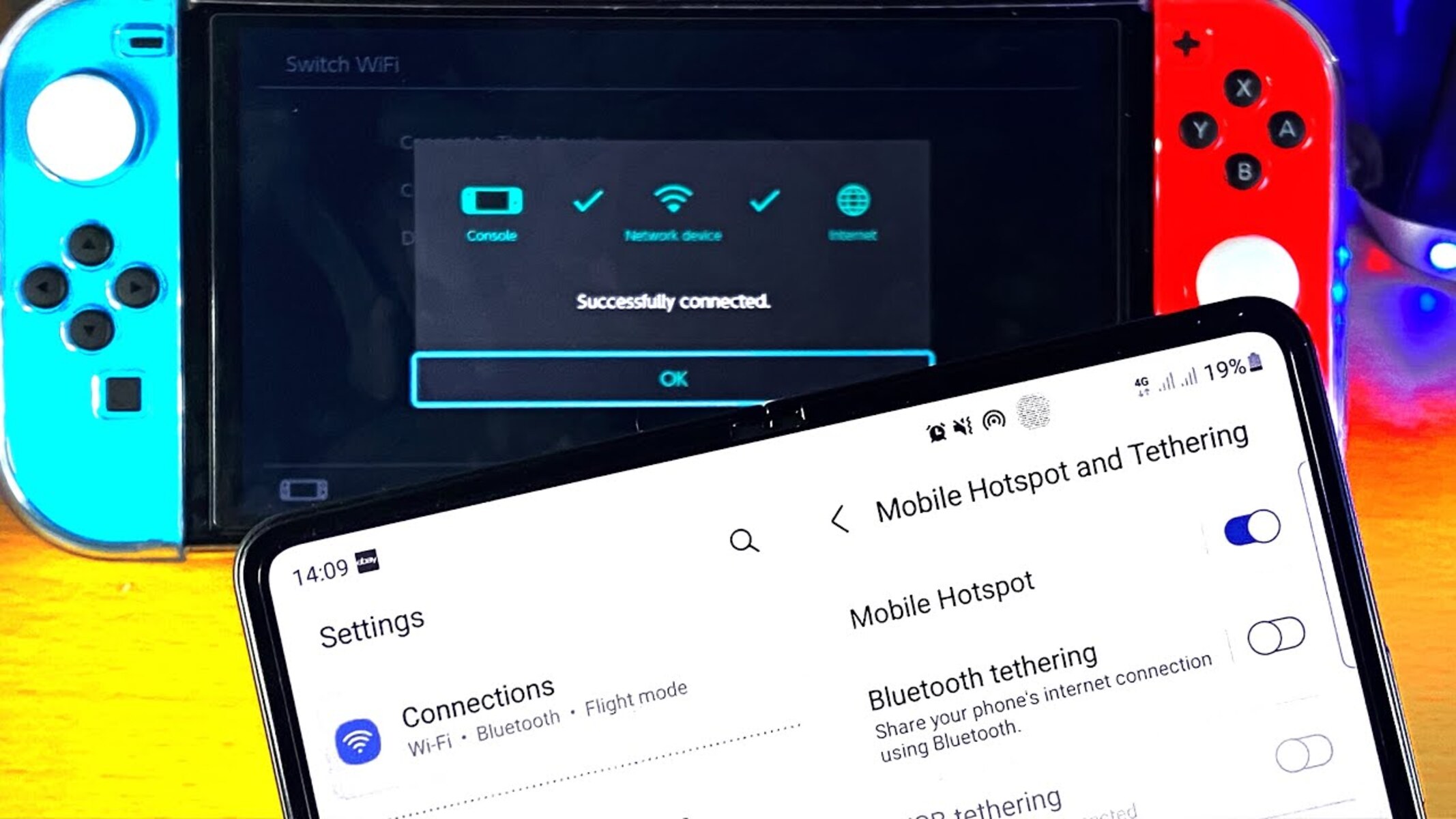
How to Connect Your Nintendo Switch to a Hotspot
Connecting your Nintendo Switch to a hotspot is a convenient way to access online gaming while on the go. Whether you're traveling, visiting a friend's house, or simply want to play in a different location, using a hotspot can keep you connected to your favorite games. Here's a step-by-step guide on how to set up your Nintendo Switch with a hotspot:
-
Enable Hotspot on Your Mobile Device: First, ensure that the hotspot feature is enabled on your mobile device. This can usually be found in the settings menu under "Personal Hotspot" or "Tethering." Activate the hotspot and take note of the network name (SSID) and password.
-
Access Nintendo Switch Settings: On your Nintendo Switch, navigate to the "System Settings" from the home screen. Select "Internet" and then "Internet Settings." Choose the Wi-Fi network that you want to connect to.
-
Connect to the Hotspot: When prompted to select a network, choose the hotspot created by your mobile device. Enter the password for the hotspot when prompted. Once entered, the Switch will attempt to connect to the hotspot.
-
Complete the Connection: After entering the correct password, the Switch will establish a connection to the hotspot. If successful, the Switch will display a message confirming the connection.
-
Test the Connection: To ensure that the connection is stable, launch a game that requires an internet connection. If the game loads and allows you to play online, the connection was successful.
It's important to note that some mobile carriers may have specific requirements or limitations for using a hotspot. Additionally, using a hotspot for gaming may consume a significant amount of data, so be mindful of your data plan to avoid unexpected charges.
By following these steps, you can easily connect your Nintendo Switch to a hotspot and enjoy uninterrupted gaming experiences wherever you are. Now that you're connected, let's explore the benefits of using a hotspot for gaming on the go.
Benefits of Using a Hotspot for Gaming On the Go
Gaming on the go with a hotspot offers numerous advantages, making it an appealing option for Nintendo Switch enthusiasts. Here are some key benefits of using a hotspot for gaming on the go:
- Portability and Flexibility: With a hotspot, you can take your gaming adventures beyond the confines of traditional Wi-Fi networks. Whether you’re on a road trip, at a park, or visiting a relative, you can stay connected to online gaming without being tethered to a specific location.
- Access to Online Multiplayer: Utilizing a hotspot enables you to engage in online multiplayer gaming experiences, allowing you to compete with friends and other players from virtually anywhere with a stable internet connection.
- Enhanced Social Interactions: By connecting to a hotspot, you can join gaming communities, communicate with fellow players, and participate in online events, fostering social interactions and camaraderie while on the move.
- Seamless Game Updates and Downloads: When connected to a hotspot, you can effortlessly download game updates, patches, and new content, ensuring that your gaming library remains current and optimized for the best performance.
- Continuity of Progress: By using a hotspot, you can continue your gaming progress seamlessly, without interruptions caused by changes in location or network availability. This ensures that you can pick up where you left off, regardless of your current surroundings.
These benefits underscore the convenience and versatility of using a hotspot for gaming on the go, empowering players to immerse themselves in their favorite games without geographical limitations. However, before embracing this gaming method, it’s essential to consider certain factors to optimize the experience and address potential challenges, as outlined in the following section.
Things to Consider Before Using a Hotspot for Gaming
While gaming on a hotspot can offer unparalleled flexibility, there are several factors to consider before relying solely on this method for online gameplay. Understanding these considerations can help you make informed decisions and optimize your gaming experience. Here’s what to keep in mind before using a hotspot for gaming:
- Network Stability and Speed: The reliability and speed of the hotspot’s network connection are crucial for a smooth gaming experience. Assess the signal strength and data speed of the hotspot to ensure that it meets the requirements for online gaming without significant lag or disconnections.
- Data Usage and Plan Limitations: Using a hotspot for gaming consumes data, and certain games may be data-intensive. Be mindful of your data plan’s limitations and consider the potential impact of gaming on your data usage to avoid exceeding data caps or incurring additional charges.
- Battery Life and Device Heating: Continuous use of a hotspot can drain the battery of the mobile device providing the hotspot, as well as the Nintendo Switch itself. Additionally, prolonged use may lead to increased heat generation in both devices. It’s advisable to monitor battery levels and device temperatures during extended gaming sessions.
- Security and Privacy: When connecting to public hotspots or unfamiliar networks, prioritize the security of your gaming devices and personal data. Utilize secure connections whenever possible and remain cautious when accessing online services over public hotspots to safeguard your privacy.
- Alternate Connectivity Options: While hotspots offer convenience, exploring alternative connectivity options, such as portable Wi-Fi routers or local wireless networks, can provide additional flexibility and potentially more stable connections in certain environments.
By considering these factors, you can make informed decisions about utilizing a hotspot for gaming, ensuring that you are well-prepared to address potential challenges and optimize your gaming setup. Additionally, implementing specific tips and strategies can further enhance your hotspot connection for an improved gaming experience, as detailed in the following section.
Tips for Improving Your Hotspot Connection
Optimizing your hotspot connection for gaming involves implementing strategic measures to enhance stability, speed, and overall performance. By following these tips, you can improve your hotspot connection and elevate your gaming experience:
- Positioning and Signal Strength: Position your mobile device providing the hotspot in an area with optimal signal reception. Avoid obstructions and interference to maximize signal strength, which can significantly impact the stability and speed of the connection.
- Device Placement and Ventilation: Ensure proper ventilation for both the mobile device and the Nintendo Switch to prevent overheating during extended gaming sessions. Position the devices in a manner that promotes airflow and minimizes heat buildup.
- Limit Background Applications: Close unnecessary background applications and processes on the mobile device creating the hotspot to allocate more resources and bandwidth to the gaming connection, potentially improving overall performance.
- Utilize External Antennas or Signal Boosters: If available, consider using external antennas or signal boosters to enhance the reach and strength of the hotspot’s signal, particularly in areas with weaker reception.
- Monitor Data Usage and Manage Updates: Keep track of your data usage while gaming on the hotspot and prioritize essential updates. Downloading large updates or patches can consume significant data, so managing these downloads can help prevent unexpected data overages.
- Invest in a Portable Power Bank: To address potential battery drain concerns, have a portable power bank on hand to recharge the mobile device providing the hotspot, ensuring continuous power during extended gaming sessions.
- Consider Network Prioritization Settings: Some mobile devices offer network prioritization settings that allow you to allocate bandwidth specifically for gaming applications, potentially improving the overall gaming experience on the hotspot.
Implementing these tips can contribute to a more reliable and efficient hotspot connection, enabling you to enjoy uninterrupted gaming sessions while on the go. However, it’s important to be mindful of potential limitations associated with using a hotspot for gaming, as outlined in the following section.
Potential Limitations of Using a Hotspot for Gaming
While gaming on a hotspot offers flexibility and convenience, it’s important to acknowledge potential limitations that may impact the overall gaming experience. Understanding these limitations can help you anticipate challenges and make informed decisions when relying on a hotspot for online gaming. Here are some potential limitations to consider:
- Network Congestion: In densely populated areas or locations with high network activity, the hotspot’s connection may experience congestion, leading to reduced speed and increased latency, affecting the gaming experience.
- Data Constraints and Costs: Utilizing a hotspot for gaming can consume significant amounts of data, potentially leading to data plan limitations and additional costs if not managed carefully, particularly when engaging in data-intensive gaming activities.
- Variable Signal Quality: The quality of the hotspot’s signal can fluctuate based on environmental factors, such as interference from physical structures, weather conditions, or geographical features, impacting the stability and speed of the connection.
- Battery Drain and Device Heat: Extended use of a hotspot can drain the battery of the mobile device providing the hotspot, as well as the gaming device itself. Additionally, prolonged use may lead to increased heat generation in both devices, necessitating careful management of power and device temperature.
- Security Risks on Public Networks: When connecting to public hotspots or unfamiliar networks, there is an increased risk of potential security threats and privacy breaches, necessitating heightened vigilance and the use of secure connections when gaming on public networks.
By recognizing these potential limitations, you can proactively address challenges and explore alternative connectivity options when necessary to ensure a consistent and enjoyable gaming experience. Despite these limitations, with careful consideration and strategic management, gaming on a hotspot can still offer unparalleled gaming experiences while on the move.